DeepSeek Harness's 35k Plugin Count Is a Mirage: Only ~1k Actually Install
DeepSeek Harness Plugin Ecosystem Breakdown: 31,259 Repositories and a 93% Gap in Installability
DeepSeek Harness claims to have 35,000 third-party plugins. Someone manually inspected 11,000 of them and found that fewer than a thousand can actually be installed according to its own rules.
This agent shell, open-sourced by DeepSeek on August 13, is called dsh via the command line. The official slogan is "everything is a plugin": models, tools, sessions, sandbox, UI, and even the agent's main loop can be swapped out. The plugin ecosystem has become its biggest selling point.
It also became its most ambiguous layer.

Same Week, Same Ecosystem, All Five Numbers Are True
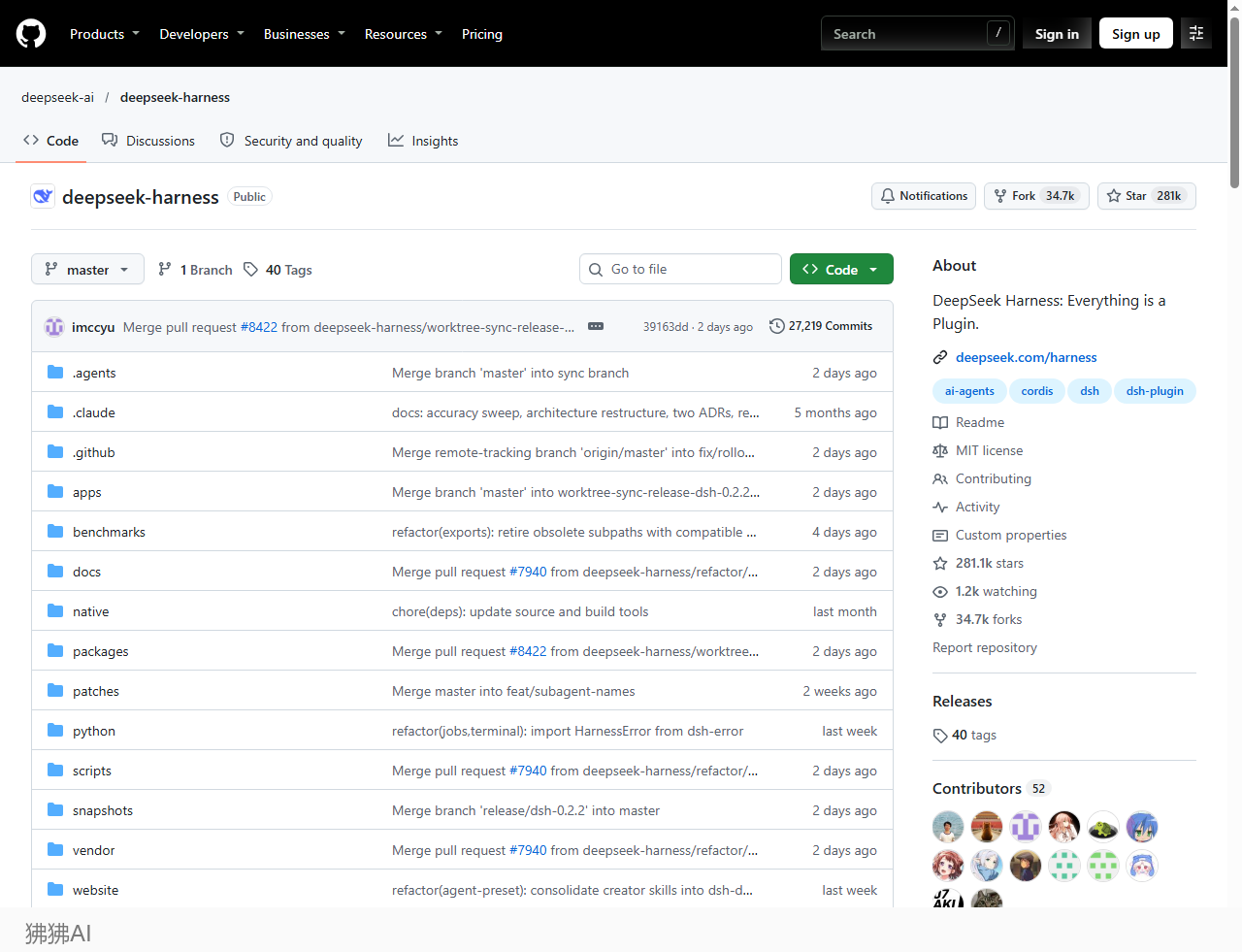
The repo's scale is clear. As of 2026-11-15, deepseek-ai/deepseek-harness has 281,139 stars and 34,722 forks, with 27,219 commits in three months. The default branch is master, not the common main.
The real excitement is on the plugin side, and so are the problems:
- Official announcement on November 5: about 35,000 third-party plugins
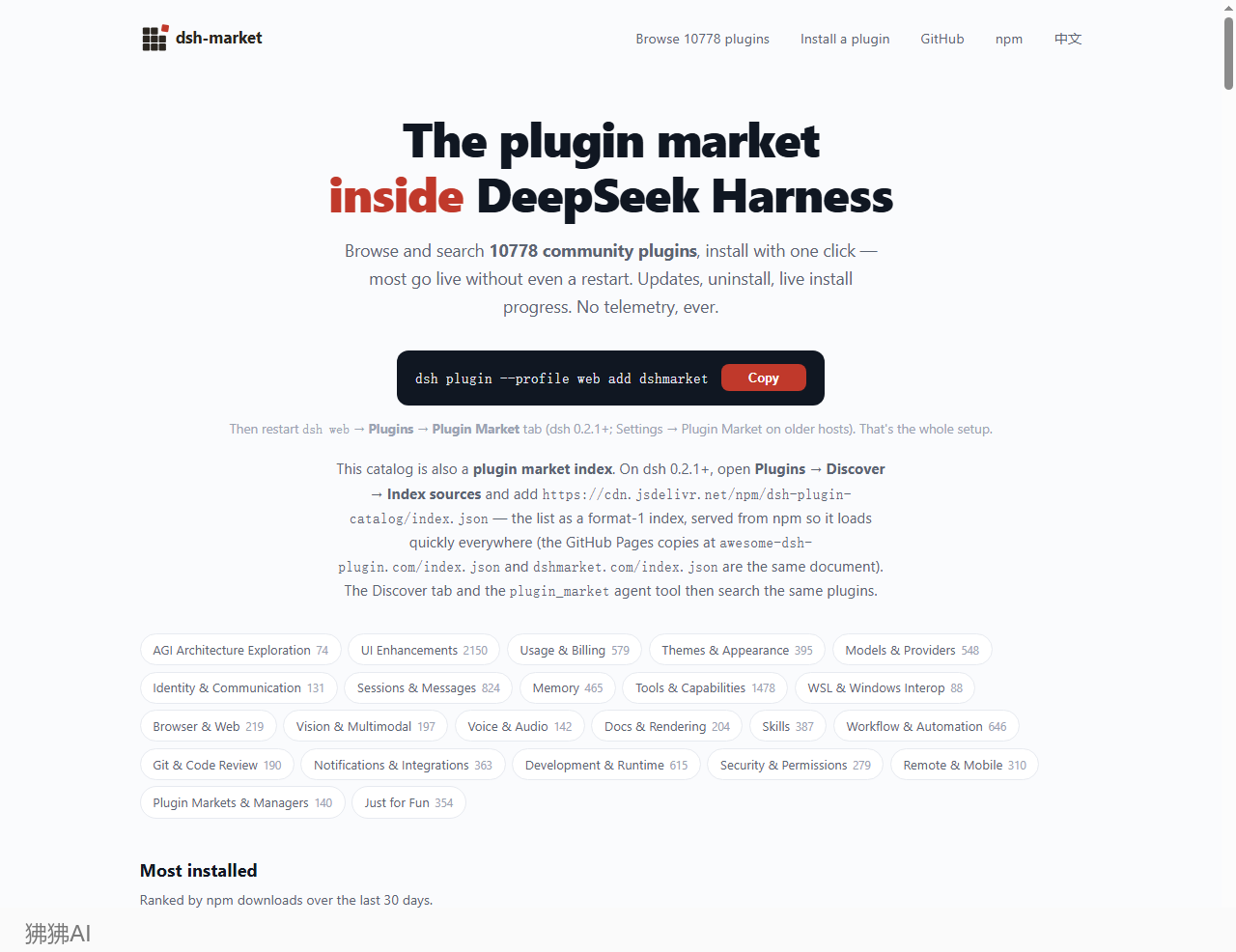
- Community dshmarket homepage self-reports: 10,778
- Repositories on GitHub tagged
dsh-plugin: 31,259 - Leiphone screened 11,000 repos one by one: 1,883 public rejection cases, 93% "cannot install per dsh rules"
The source of the gap is not complicated. There is no authoritative definition of a plugin in the dsh ecosystem. The only guidance from the official side is one line each in the README and CONTRIBUTING: tag your repository with dsh-plugin. No approval needed, no actual relationship to dsh required.
The consequences are visible. When GitHub sorts by "best match," the fourth result is a resume generator made in 2020, simply because it has the tag. 505 repositories have deepseek-harness-desktop in their names, two of them both called dsh-desktop, two both called deepseek-harness-desktop, with one using .com and the other .cn.
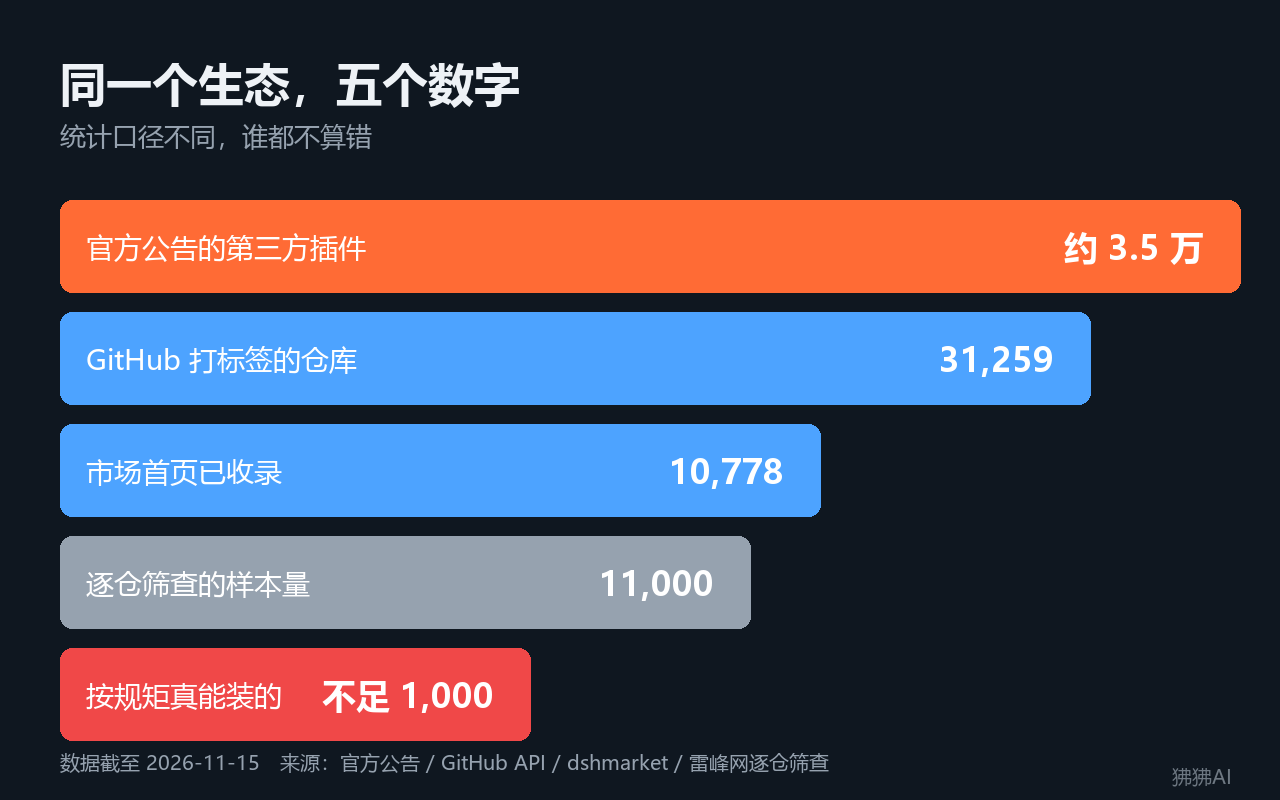
Conclusion: 35,000 means "claimed to exist," under a thousand means "can actually run." The gap between these two numbers is where missing governance sits.
First Question: Does Installing More Make the Agent Stronger?
dshmarket divides 10,778 plugins into more than twenty categories. The numbers next to the categories carry more information than the total: UI enhancements 2,150, tools and capabilities 1,478, Just for Fun 354, security and permissions 279.
The decoration category (2,150) exceeds capability (1,478); pure fun (354) exceeds security (279). Most people install plugins to change their interface, add panels, or plug in external subscriptions, not to give the agent new abilities.
Now look at the layer the official side is proudest of. They repeatedly emphasize "no privileged kernel, even the main loop can be replaced," which is the hardest promise of "everything is a plugin." Someone searched all 2,143 names and Chinese-English descriptions, and also did double checks via code search on GitHub:
Only 2 actually replace the main loop as a plugin. dsh-frostfin has 438 weekly downloads and 5 stars; dsh-session-pause hasn't even published to npm, has 4 stars, and its main-loop replacement exists to add a feature the official version lacks: pausing the current turn and resuming after a restart.
On the flip side, the "swap model" interface is heavily used: 69 plugins, with the top approach being to connect the subscription quotas of Codex, Claude, Grok, and Kimi into DeepSeek's own harness.

How big is this ecosystem? As of November 4, daily active users reach 1.54 million, daily average 92 trillion tokens, and about 60% of active users have made or installed at least one third-party plugin. This scale explains why "35,000" is repeatedly cited: a tool with millions of daily users saying it has only a few thousand plugins doesn't sound good.
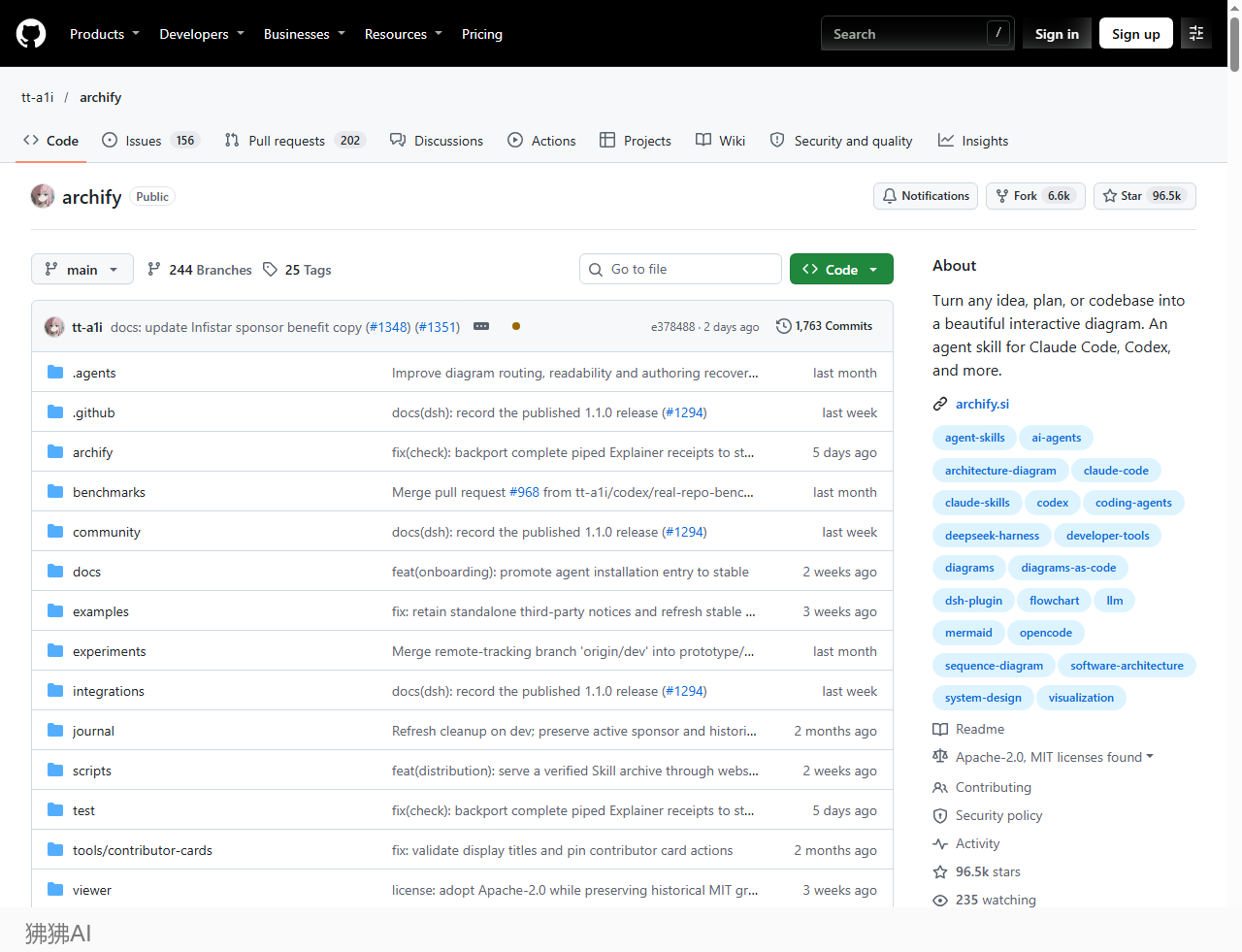
There is an even more hidden layer of chaos. tt-a1i/archify has 96.5k stars, higher than most dsh plugins, and the Chinese community commonly introduces it as a dsh plugin. Its README reads "An agent skill for Claude Code, Codex, and more." It primarily serves other agents; dsh is just one of the later compatible entry points. Within the so-called "35,000 plugins," a large number of these things that originally don't belong to dsh are mixed in.
Second Question: Are You Yielding Functionality or Account Permissions?
When you install any plugin, dsh pops up a message: "The plugin will run with your permissions on this machine." This message alone is the entire security model.
Leiphone wrote a minimal probe plugin that runs nine tests under three tiers: read-only, current workspace, and danger-full-access. All nine succeeded across all three tiers. Under the strictest read-only tier, it listed files in ~/.ssh, read API keys from environment variables, wrote files to /tmp and read them back, and connected to the external network.
The reason is a structural mismatch. A model, to make the machine do something, can only "request" dsh to act on its behalf; the three-tier permission review checks those requests. Plugins don't need to request, because the plugin itself is dsh. A security guard checks visitors; a plugin is a colleague, so the guard doesn't check it.
The worst case is written plainly: what a plugin can do equals everything your computer account can do, and installation is consent.
dsh-tui is a concrete example, though not intentional on the author's part. On Windows there is no official sandbox backend; without raising permissions to danger-full-access, bash commands simply can't run. The reason is in the adjacent code comment. Another plugin that claims to "add an auto permission tier" — reading the source shows it doesn't add any tier; the actual effect is to enable the default tier and reduce one layer of review.
More mundane than permissions is plugins fighting each other. Someone tried installing the top ten plugins by download count (deduplicated by repo) into one configuration, and it wouldn't start. The conflict involves the 2nd, 3rd, and 6th entries, and two must be disabled to boot. The cause is a UI family bundle that includes a sidebar component, which competes with a separately installed sidebar plugin for the same UI path. The official docs state "later layers overwrite previous ones line by line," knowing conflicts will happen but providing no detection tool.
There are two hidden costs. Installing plugins invalidates the entire KV cache; DeepSeek wrote the cache impact into a required section of 223 package READMEs, but no place in the ecosystem warns users. Upgrades wipe configuration: on November 5, a Windows user upgraded the desktop from v0.2.1-rc.5 to v0.2.2-rc.1, losing 32 third-party and local plugin entries, configuration shrank from 34 items to 2, the first startup failed, there was no automatic backup or rollback, and manual repair took about 5 hours.
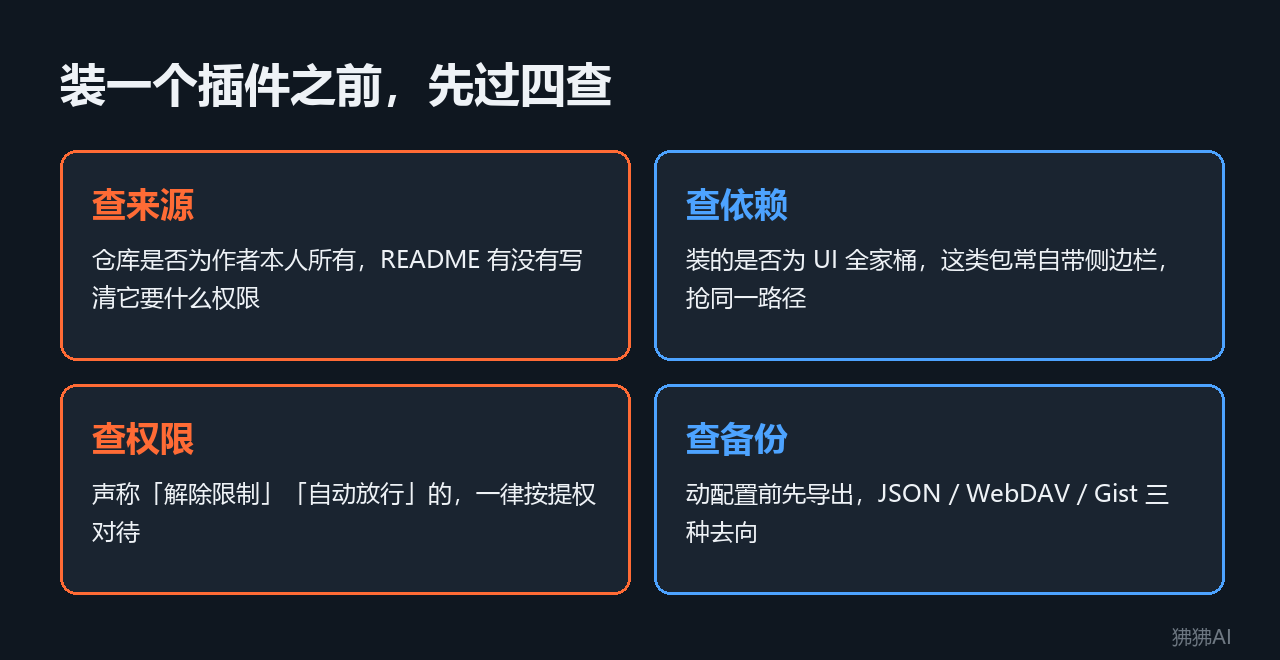
Go through these four checks before you act, and most trouble can be avoided in advance:
- Check source: Is the repo owned by the original author? Does the README state what permissions it needs?
- Check dependencies: Is what you're installing a UI family bundle? Such packages may include a sidebar and compete with existing plugins for paths.
- Check permissions: Anything claiming "remove restrictions" or "auto-approve" should be treated as privilege escalation.
- Check backups: Export before touching configuration. dshmarket supports three backup destinations: JSON, WebDAV, and Gist.
Conclusion: The real cost of installing plugins isn't those few seconds of download, but the four accounts of permissions, conflicts, cache, and upgrades.
Six Plugins Still Alive, Each with a Caveat
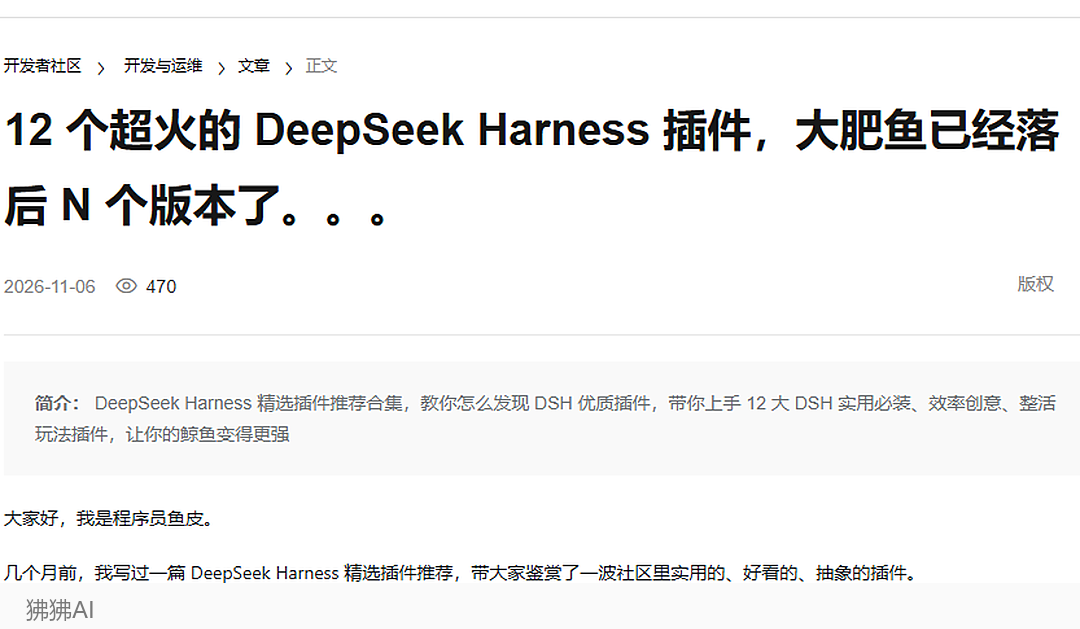
None of the plugins in this section were installed by me personally. The numbers come from two verifiable tests: programmer Yupi's hands-on test of 12 plugins published on the Alibaba Cloud Developer Community on 2026-11-06 (470 reads), and Leiphone's screening of 11,000 repos on August 28. Both are single-machine, single-run records and cannot be treated as average costs.
dshmarket (12.4k stars): Install this first to install others through the UI. The package name has no hyphen; writing dsh-market won't install. The desktop app can't use the command line; you have to go into settings and search for dshmarket.

dsh-context (5.1k stars): Lays out the context ledger. It tracks 7 days of token and cost, an 8-week heatmap, and every tool call and command execution, and shows which parent agent and each sub-agent are burning resources. The dsh team has recommended it on X. The weakness: it reads local session logs; if a session is cleared, the history is gone, and after switching models, old data isn't recalculated.

cc-safety-net: Checks before executing commands. git reset --hard is blocked twice consecutively, and git restore is also blocked. The weakness: rm -rf backend is not blocked. By default it only protects the root directory and the user's home directory; ordinary directories inside a project are out of scope.
archify: Reads code and draws interactive architecture diagrams, mapping from the mini-program frontend all the way to the call relationships among FastAPI, LangGraph, and vector databases. One diagram takes 16 minutes and costs over 0.8 yuan, slow because it repeatedly screenshots to check whether it drew correctly.
dsh-ppt: Produces a 6-slide PPT with speaker notes, delivered as a web version plus an editable PPTX, for 0.2 yuan. The flaw: the last character of the main title gets pushed to a second line, but the PPTX can be manually fixed.
billion-context: First in downloads, 2.7 million per week, claims to compress context to 1/5 of the original. The weakness shows plainly in Yupi's test: on a session with just two turns, it concludes "not recommended to compress now," because only about a thousand tokens are compressible; the overhead is dominated by fixed costs like system prompt and tool definitions.
The cost structure is more worth looking at than the unit price. dsh-cost-meter recorded a session that cost 0.11 yuan, with nearly 90% spent on the "AI execute command" step, while direct model replies account for just over 10%. To save money, focus on the number of tool calls and the size of returns, not the model's unit price.
Conclusion: These plugins first give you an account; savings come later. Only when you can see costs, see context, and see which step is burning money, can you save.
Pick a Row by Need, Not by Ranking
The premise is that dsh itself is running: npx @deepseek-ai/dsh web, default at 127.0.0.1:3080; plugins are installed with dsh plugin --profile web add <package>, and adding -w writes into the workspace.
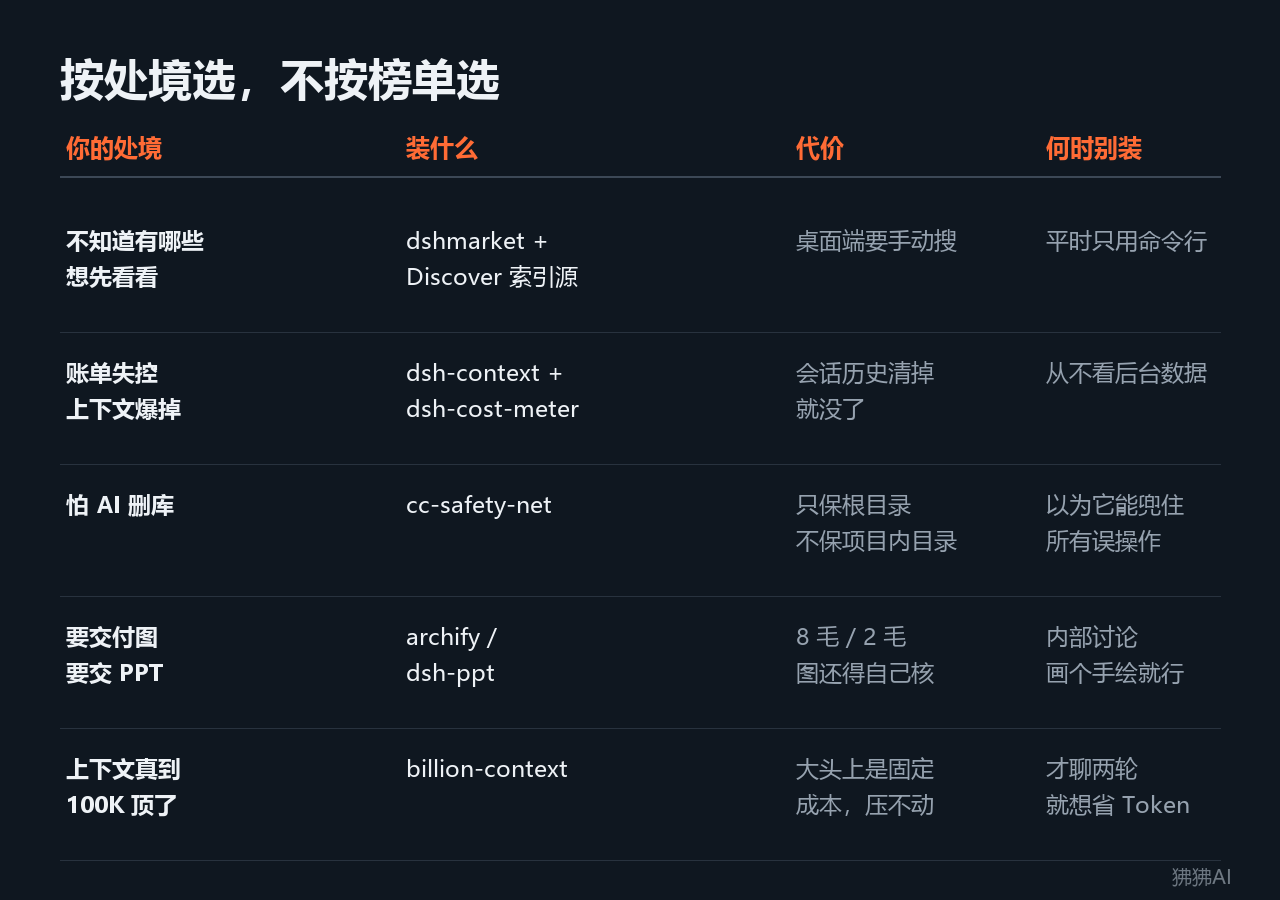
Choosing based on which step you're stuck on is more reliable than sorting by downloads. Five situations, each with a corresponding row:
- Don't know what's available, want to look around → dshmarket plus its Discover index source; the cost is that the desktop can only be searched manually, and command-line-only users should just
dsh plugin add - Bills out of control, context mysteriously exploding → dsh-context plus dsh-cost-meter; session history disappears if cleared, so those who never look at backend data shouldn't install
- Afraid AI will accidentally delete the database → cc-safety-net; it only protects the root directory, not project directories, so don't rely on it to catch every accidental operation
- Need to deliver diagrams or PPTs → archify or dsh-ppt; one diagram costs 0.8 yuan, 6 slides cost 0.2 yuan, but diagrams still need self-checking; for internal discussion, hand-drawn is enough
- Real context hitting 100K limit → billion-context; the overhead is fixed costs like system prompt and tool definitions, so those who want to save tokens after just two turns shouldn't install
Three disciplines are the only conclusions that both test parties agree on:
- Only install what you actually use, and back up configuration before installing. This is Yupi's exact words after testing 12 plugins, and it's the only point verified by both sides.
- Install one at a time, use it for a round, then install the next. The top ten plugins conflicting with each other is the price of installing everything at once.
- Be restrained in chasing version updates. Export configuration before upgrading; losing configuration between release candidates is normal.
In an ecosystem with many plugins, the excitement belongs to those writing plugins, and the cost falls on those installing them. The 35,000 number will keep rising in the short term, but the few you actually need won't change in a year: those that keep accounts, those that stop mistakes, those that produce diagrams, plus one that must be installed before you can install others.
This article is original content, first published on this platform. Reproduction without authorization is prohibited.