Vole: Pure-Go macOS Disk Cleaner That Rechecks Everything Before It Deletes
Open source address: https://github.com/hellozhangran/vole
Why: My Mac's disk is full again
A Mac used for development quickly fills up with caches: Xcode build products, simulators, node_modules, uv / pip / Go package caches, various Electron app caches... Every cleanup means manually poking through directories or searching online for "what can be deleted."
There's a great open-source command-line tool on GitHub called Mole (by tw93) that analyzes disk usage, cleans caches, uninstalls apps, and shows system status. But I wanted a GUI desktop app: to see what's filling the disk and to check off each item for cleanup confirmation.
So Vole was born. The name comes from the vole, a close relative of the mole, and just as fond of digging.

What Vole does
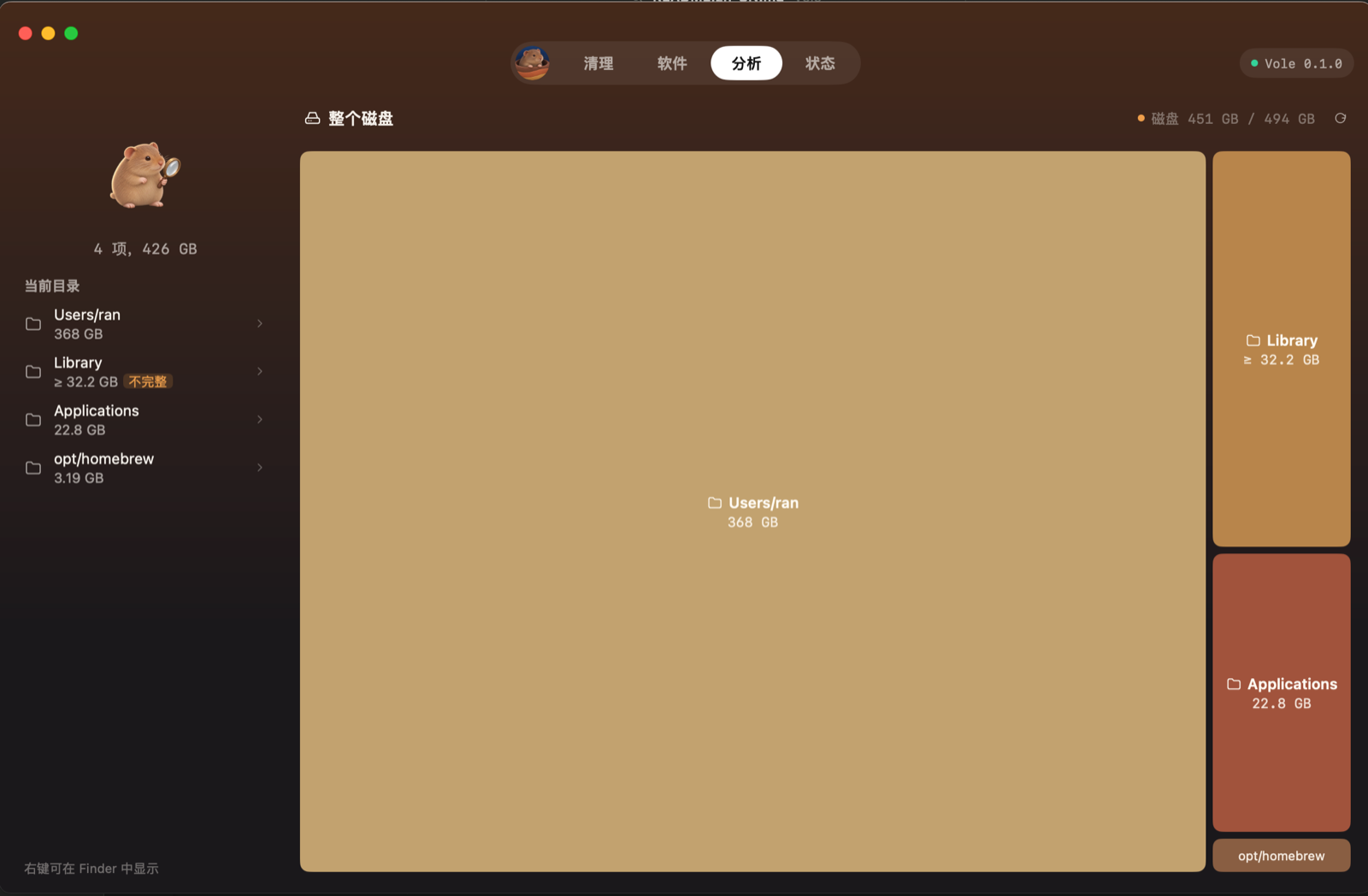
- Analyze: shows disk usage with a treemap, lets you drill down into any directory to see the largest files.
- Clean: finds caches and residue from 9 categories: app caches, system caches, logs, developer caches, Xcode and simulators, AI tools, browsers, communication tools, and trash. Every item is checked by you before deletion.
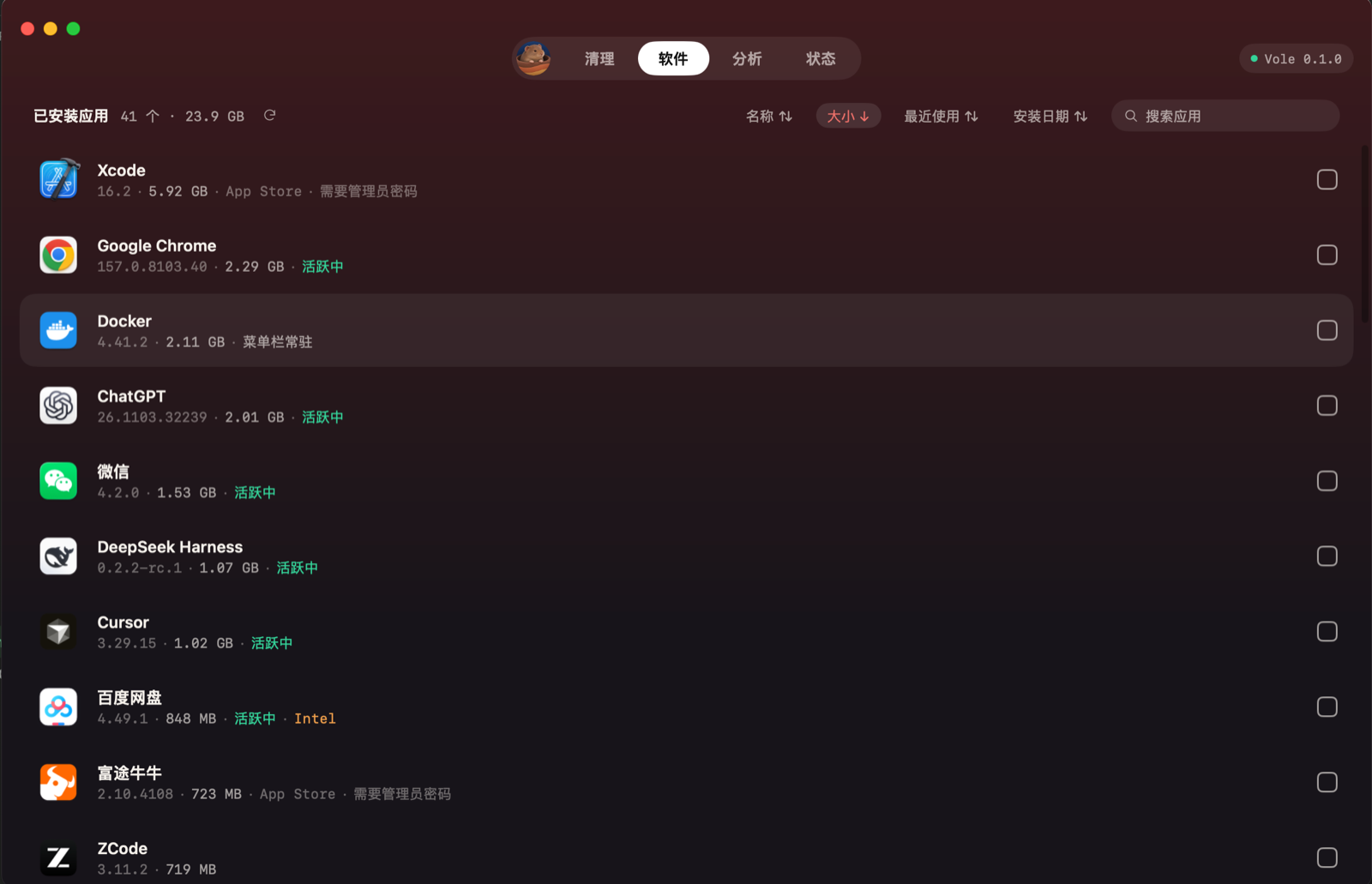
- Apps: uninstalls apps, along with their caches, logs, preferences, and other residue; everything goes to the trash, so mistakes can be recovered.
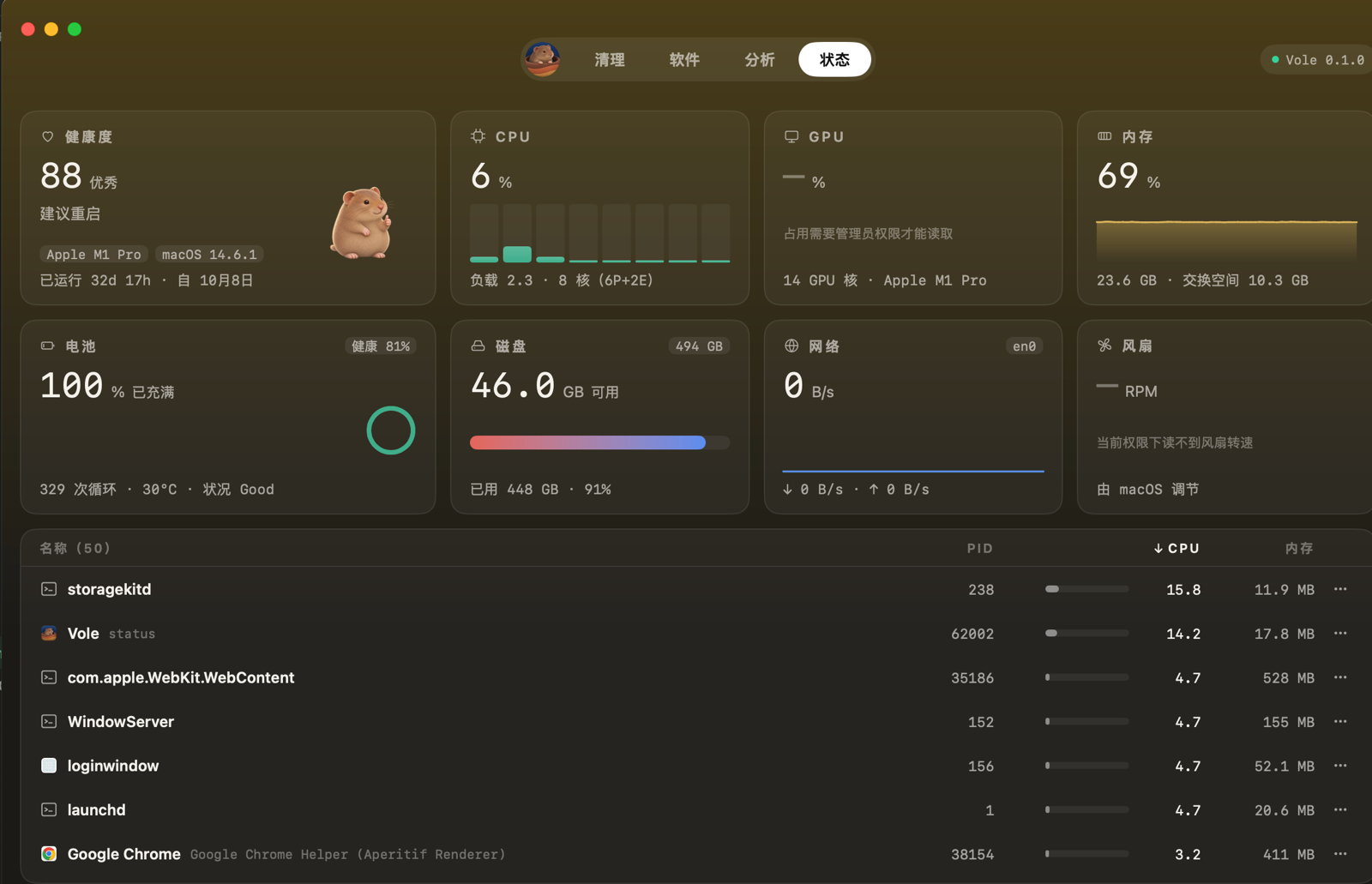
- Status: real-time CPU, memory, disk, network, battery, and a process list.
- Menu bar panel: after closing the main window, Vole stays in the menu bar; click the vole icon for a system overview.
Tech stack: pure Go + mygo
Vole is written entirely in Go, with the UI using mygo: a framework for writing desktop apps in Go. It has two modes: one loads a web frontend in the system webview (like Tauri); the other is native UI mode, with no HTML, no webview; mygo draws the interface on the GPU itself, and it's pure Go, no cgo needed. Vole uses the latter.
mygo's native UI is immediate mode, in the same family as Dear ImGui and egui used in game UIs: the interface is a function that takes state as input and is rebuilt every frame. Conceptually like React's UI = f(state), just without a virtual DOM. The official counter example looks roughly like this:
type counter struct{ n int }

func (s *counter) view(c *ui.Context) {
	ui.Column(c).Fill().Center().Gap(12).Children(func() {
		ui.Text(c, fmt.Sprint(s.n)).FontSize(40).Bold()
		if ui.PrimaryButton(c, "Increment").Clicked() {
			s.n++ // change state, next frame redraws automatically
		}
	})
}
Layout uses flexbox (Row / Column / Grow / Gap); if you've written frontend code, it's easy to pick up. Without a browser engine, the packaged Vole.app is only 22 MB, and that includes two Mole command-line tools. Menu bar icons, popover panels that hug the icon, launch at login, dmg packaging, and signing all have ready-made interfaces in mygo.
How it was built
1. Code layering
main.go → internal/app (assembly)
internal/shell      window shell, top tabs, menu bar icon and panel
internal/features   one package per tab: analyze / clean / apps / status / menubar
internal/kit        theme, components, treemap layout algorithm, illustrations
internal/task       background task: sends results back to the main thread
internal/core       pure Go backend, no UI dependencies
cmd/vole-cli        command-line tool to verify the backend without the GUI
The core principle is backend and UI separate, dependencies only point downward. core has no idea the UI exists, so it can be tested standalone, and vole-cli can verify scan results in the terminal. Adding a new tab means writing a package that implements the Module interface and adding one line to the module list.
2. Not blocking the UI: background tasks back to the main thread
The iron rule of desktop apps is the UI only changes on the main thread. Vole has a tiny task package: slow operations run in goroutines, and when done, results are queued back to the main thread via mygo's win.Update. Each task carries a key; starting the same key again auto-cancels the old task and discards old results, so quickly clicking through directories never lets stale results overwrite new ones.
3. Reusing Mole: invoking as subprocesses
Mole's "disk analysis" and "system status" are two separate Go programs that output JSON. Vole compiles them from source, bundles them into the app, and calls them as subprocesses:
cmd := exec.CommandContext(ctx, binary, "--json", path)
cmd.SysProcAttr = &syscall.SysProcAttr{Setpgid: true} // child process gets its own process group
cmd.Cancel = func() error {
	return syscall.Kill(-cmd.Process.Pid, syscall.SIGKILL) // kill entire group on cancel
}
The separate process group exists because analyze spawns its own child processes like du; on cancel they must all die together, leaving no orphans. System status is status --watch, emitting one JSON line per second; Vole reads line by line and feeds the UI. The status tab and menu bar panel share one collection process, which stops when nobody is watching; measured idle CPU when resident in the menu bar is 0%.
4. Cleanup: how to avoid deleting the wrong thing
Cleanup tools are most afraid of deleting incorrectly. Mole's cleanup is an interactive bash script that can't be driven by a GUI directly, so Vole read its rules, rewrote them in Go, and made safety stricter:
- Scanning is read-only, producing only a checklist;
- Deletes only what the user checked, with a confirmation dialog spelling out what will be deleted and how;
- Four checks before each delete:
- Re-run the rule scan to confirm the item is still a candidate;
- The path must be inside the home directory, not a critical system path, and no parent directory may pass through a symlink;
- Verify dev and inode match the file from the scan, to prevent mid-flight replacement (TOCTOU);
- Re-check that the relevant app isn't running; skip if it is.
- Auto-rebuilt caches are permanently deleted; user content goes to the trash. The trash uses
renameatx_np(RENAME_EXCL)to rename the file in, guaranteeing no overwriting of same-named files; - When uv, go, npm, etc. are installed, Vole prefers the tool's own cleanup command, because the tool knows best which caches are still in use;
- Results for every item are written to an operation log.
Rules themselves are data, not a pile of ifs; adding a rule later is basically adding a struct entry.
5. Uninstalling apps
Scans /Applications, reads each app's Info.plist, then looks in a dozen fixed locations under ~/Library by bundle id for associated files. Caches and logs are checked by default; personal data (settings, chat history, VM images, etc.) is unchecked by default to avoid accidental deletion. Running apps are asked to quit gracefully, wait 5 seconds, then force-quit; if still running, skip. For root-owned apps like those from the App Store, Vole hands them to Finder to delete, letting the system prompt for the admin password; Vole never touches sudo.
Lessons from using AI to develop it
I'm not from a Go background; Vole was built with AI (Claude Code). Some takeaways:
- Research first, design, then write code. For every big feature, I had AI read Mole's source and write a research doc, listing decisions for me to make, like "should caches be permanently deleted or go to trash" or "should personal data be checked by default", and only then wrote code.
- The human owns direction and quality control: scope, key tradeoffs, verification of real deletes and uninstalls, all git commits and releases are mine.
- Reference products drive UI: captured screenshots of reference apps, had AI read the images and distill UI points, then implemented against them; the vole illustration in the app was also AI-generated.
- Debug by reading source code: the menu bar panel popping up at the bottom-left of the screen was eventually pinned down by reading mygo's source: the panel only positions itself once at creation based on the icon location, and on my notch-screen Mac the icon was initially obscured. Fix: re-trigger positioning on every popup.
- Reusing good open source saves a lot: Mole's rules are community-verified; Vole directly ported them and added safety on top.
Installation and open source
- GitHub: https://github.com/hellozhangran/vole (GPL-3.0)
- Download: get the dmg from Releases and drag into Applications.
- Currently only supports Apple Silicon Macs (macOS 12 and later), UI is in Chinese.
- Vole isn't notarized yet; the system will block the first launch: on macOS 15+ go to System Settings > Privacy & Security and click "Open Anyway"; on macOS 14 and lower right-click Vole and choose "Open".
- Grant "Full Disk Access" for best results, otherwise trash and Safari directories can't be counted or cleaned.
Thanks to Mole and mygo. Welcome to try it, file issues, and if useful click Star ⭐️
Top 1 of 2 from juejin.cn, machine-translated. The original thread is authoritative.
Is there a difference from BuhoCleaner?
Haven't used it. Mine is focused on lightweight design; the entire installer is only 18M.