UniCut Puts AI Chat Inside the Video Editor, and the Timeline Becomes Optional
Can you cut videos just by typing? China's open-source AI editing tools are lowering the creative bar
There's an interesting piece of news recently: foreign media predicting that China will lead in AI models and other fields by 2030. Honestly, predictions like this are best taken with a grain of salt, but one thing is real: domestic AI tools are being deployed faster than many people think.
Video editing is a case in point. In the past, to edit a video you had to learn Premiere, CapCut Pro, the timeline, keyframes, transitions, color grading. A month to get comfortable was normal. Now? Open a browser and type.
Today we're talking about a tool our team actually uses: UniCut, an AI-driven open-source video editing tool. No software installs, no environment setup, open the browser and get to work.
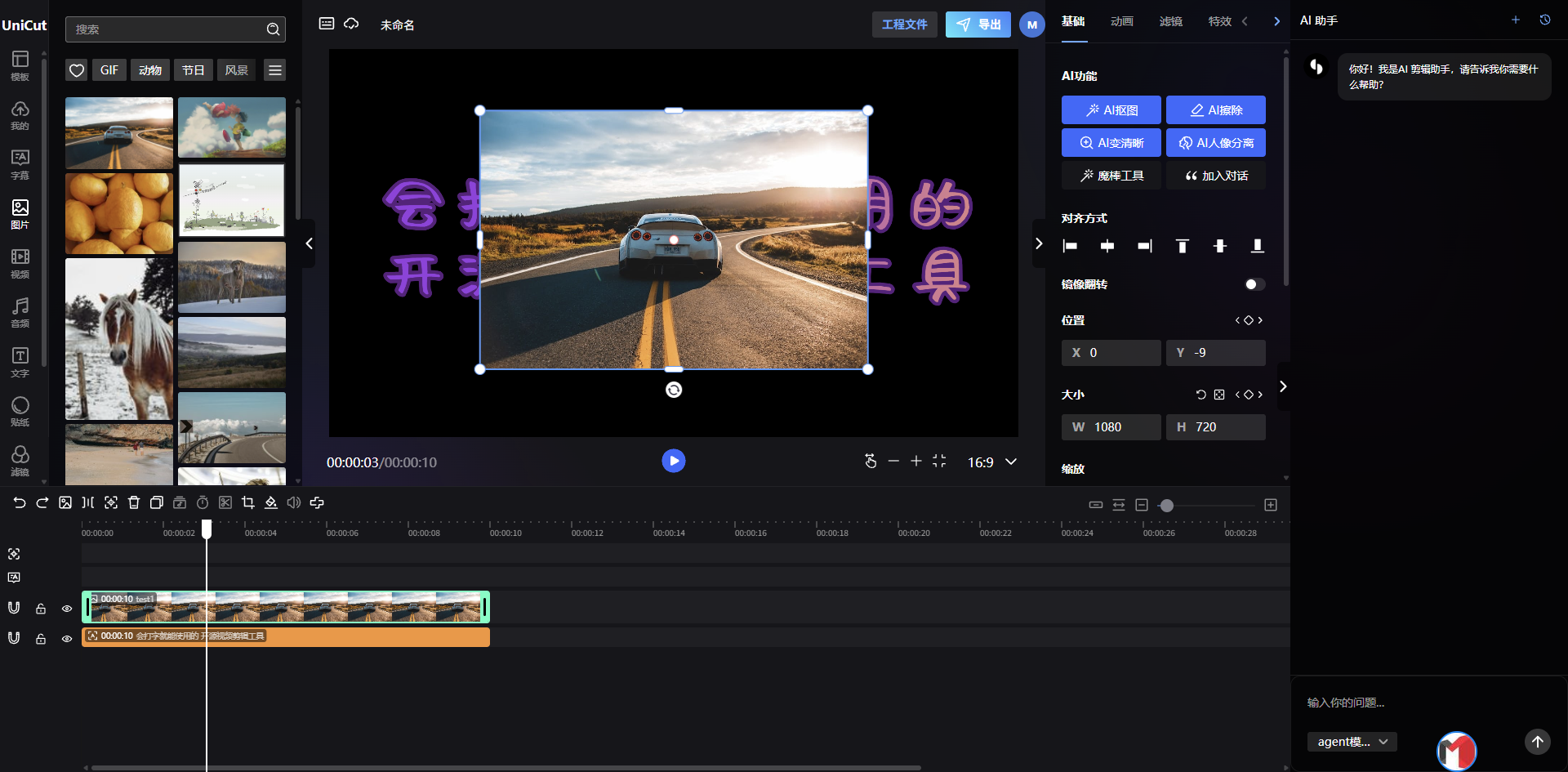
Why does it lower the bar?
Traditional editing software is most discouraging in one way: too many features, but to do the one thing you want, you have to dig through three or four menus.
UniCut takes a different approach: it wires AI conversation directly into the editor. If you want an element enlarged or rotated, instead of dragging parameters in a panel, type it out.
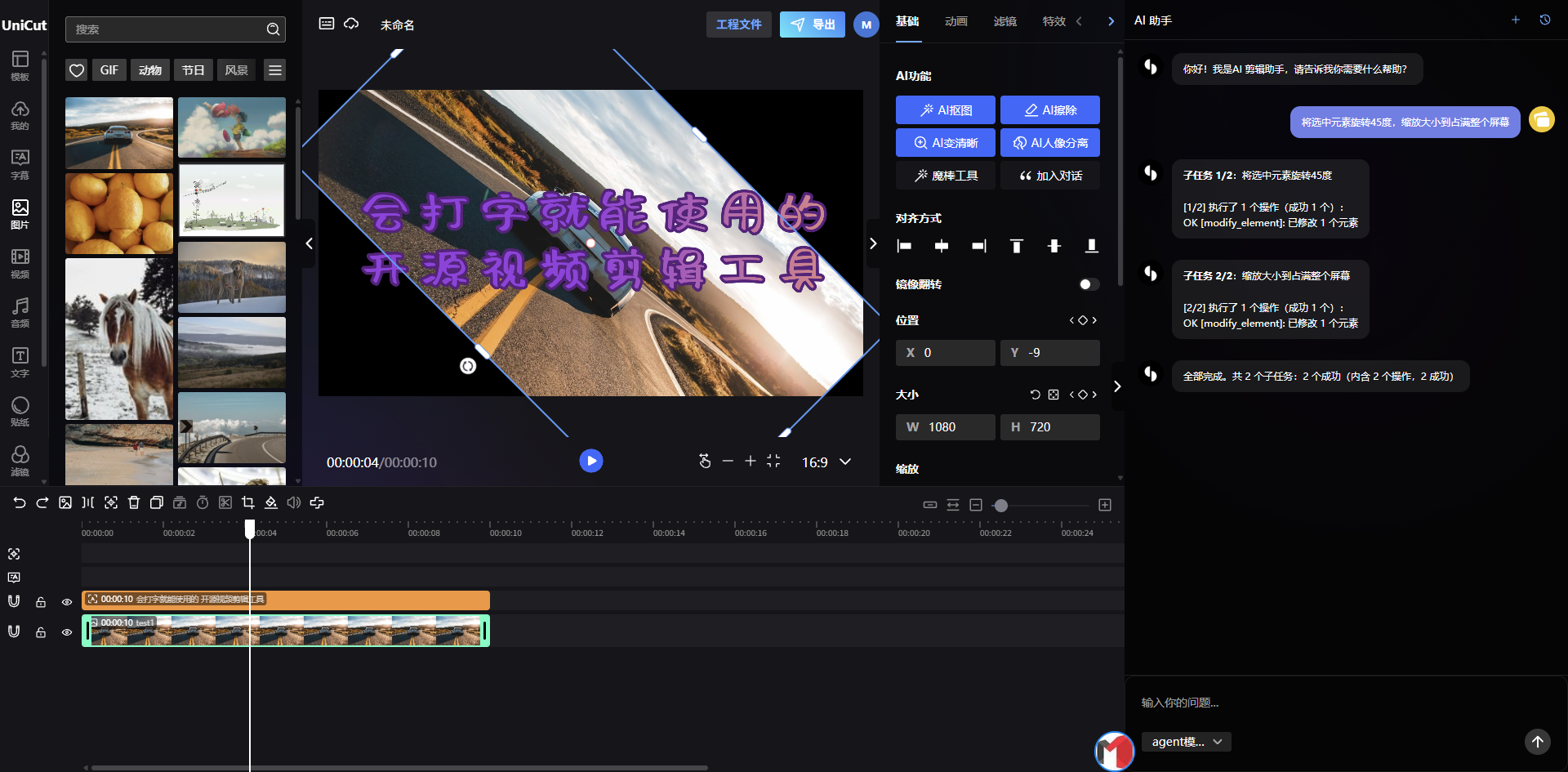
For example, input "rotate the title 15 degrees, scale it to 120%" and it makes the change. For someone just getting into editing, the learning cost is almost zero: what you need to do is not learn the software but express your idea clearly.
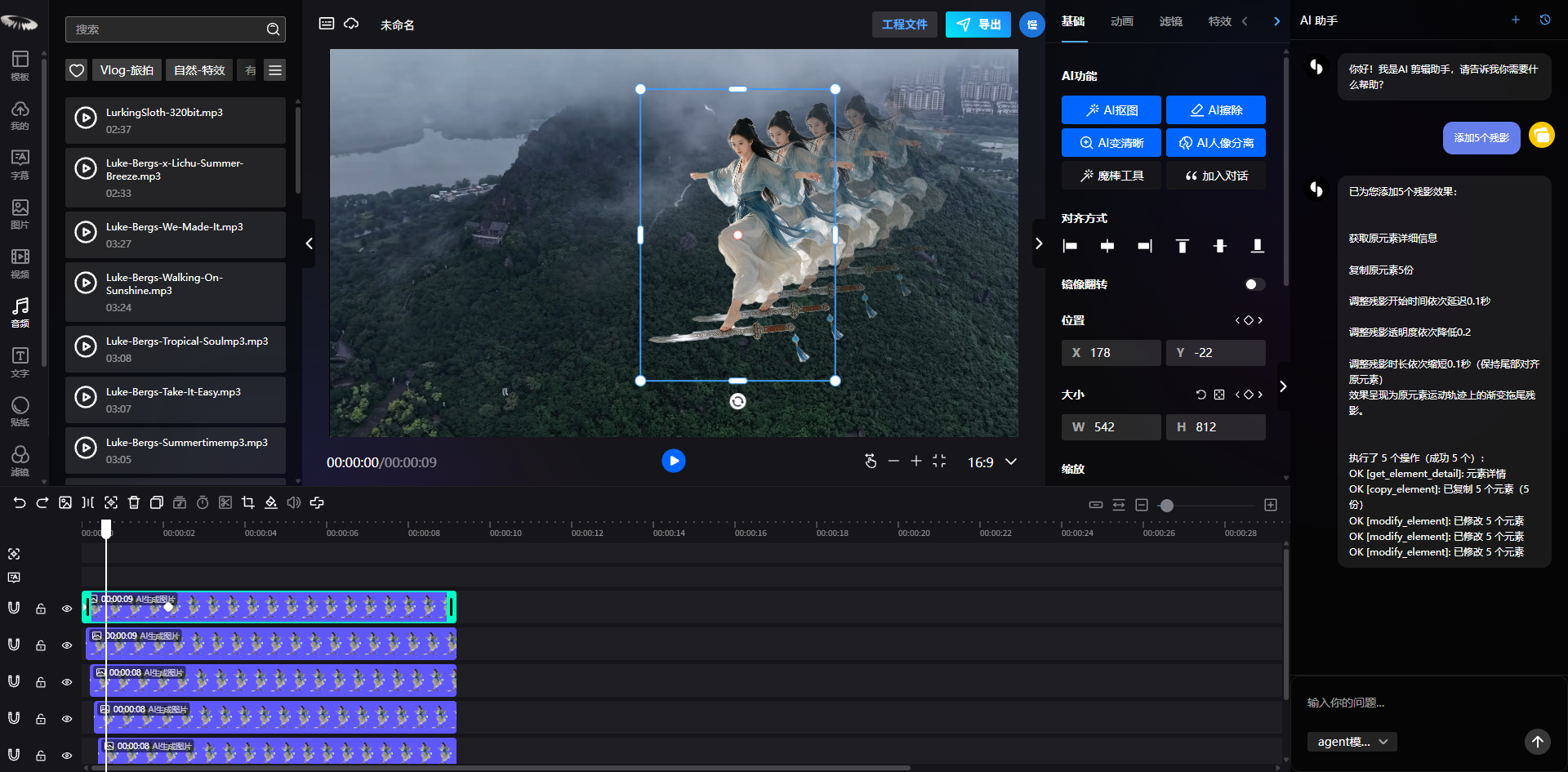
Keyframe animation, AI does it for you
Anyone who has edited knows keyframe animation is the fastest way to scare off beginners. Manually setting anchor points, tuning curves, previewing, revising, a simple entrance animation alone can eat half an hour.
UniCut hands that part to AI too. Tell it "add an entrance where this element floats up from below" and the keyframes generate automatically, all visible on the timeline.
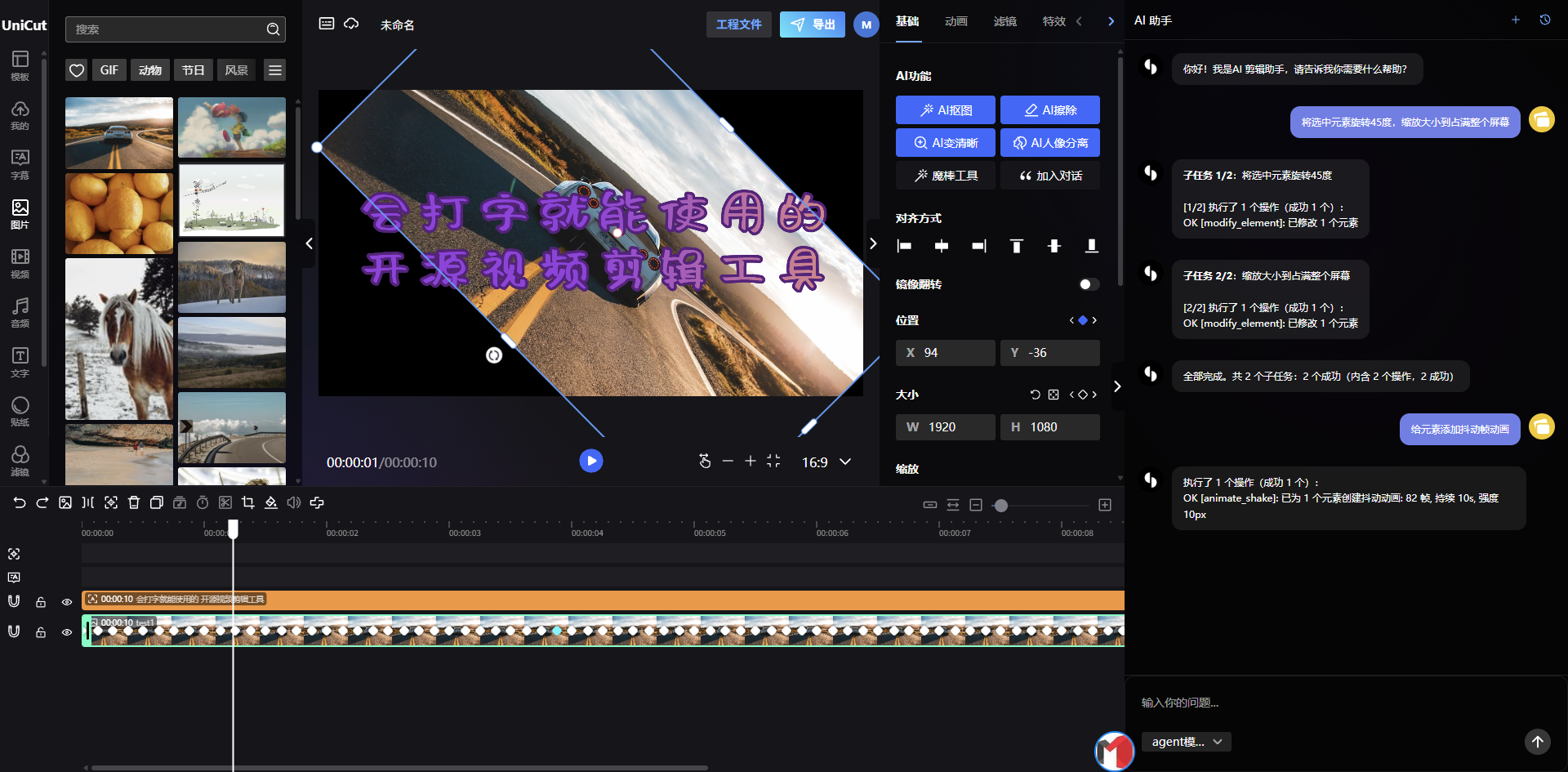
For those of us in tech, this means more than just convenience. It means the underlying capability of editing is being rebuilt by AI. "Operational skill" accumulated through hand-made repetition is becoming a single sentence.
Open source matters more than the features
UniCut is open source. That means two things:
First, you can self-deploy. If an enterprise has data security requirements and doesn't want to send footage to a third-party platform, private deployment keeps the material entirely on its own servers. For e-commerce, MCN, and education teams, that is a very practical option.
Second, features can be further developed. It uses a B/S architecture, runs in the browser, and the frontend capability can be extended as needed. If you have customized editing needs, such as batch-generating short videos from product images, auto-applying brand templates, or integrating with an internal asset library, you can build on what already exists instead of starting from scratch.
What can it actually do?
A quick list of real features:
- Multi-track editing: video, images, stylized text, audio, stickers, filters, subtitles, mainstream element types all supported
- AI capabilities: AI cutout, AI portrait separation, AI image enhancement, AI auto-editing, AI trajectory tracking, mostly free
- Templates and materials: video templates, transitions, stickers, stylized-text assets, saving you from building from zero
- Keyframes and animation: lottie animation, transition animation, per-character animation, mask animation, enough for the job without bloat
It is not a concept product. The demo is public and ready to use: https://unicut.h5ds.com/
In closing
Who will lead in AI models, 2030 is anyone's guess. But one thing is certain: AI is turning "professional capability" into "general capability." Editing that took months to learn now only requires typing to get started; work that needed an entire post-production team is now one person and a browser.
For ordinary people, this is the best of times: the barriers of tools are falling away, and all that remains is your idea.
The tool introduced here is an open-source project; the single-user version is free, and multi-tenant usage requires authorization.
Top 1 from juejin.cn, machine-translated. The original thread is authoritative.
Feedback on an issue with https://unicut.h5ds.com/: both "开始创作" (Start Creating) and the footer's "立即开始创作" (Start Creating Now) directly call `history.push('/workspace/draft')`, with no login-state check — the effect is that clicking them just bounces you back to the homepage. The "免费开始" (Start Free) button on the same page has the correct logic: it checks login state first, and if you're not logged in, it pops up a login dialog.