Open-Source CLI Suite Automates WeChat Public Account Publishing End to End
Open Source! A Complete Public Account Writing, Cover, and Publishing Automation Toolkit!
[!INTRO] Guide
Sharing an automation pipeline I use every day for public accounts: after writing Markdown, throw it to the CLI, and from format archival, AI review, pure-algorithm cover generation, to sending into WeChat's official draft box, everything runs fully automatically.
Writing for WeChat takes the most time usually on the various publishing chores after the article is done: pasting formatted styles into the editor often breaks the layout, covers have to be repeatedly cropped between 2.35:1 long images and 1:1 squares, and multiple accounts require frequent logout and switching. To fully automate this daily publishing flow, I wrote a set of command-line tools and open-sourced all the core modules.
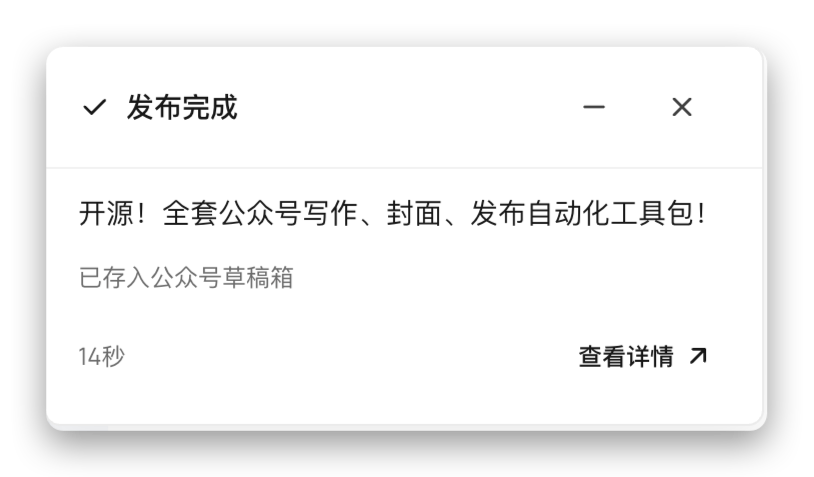
Overview
The main execution tool is zzhub-pipeline (npm package @akairos/pipeline, terminal shorthand zzp).
It is positioned as a command-line task state machine, runs purely locally, is self-deployable, and is extremely agent-friendly. The entire pipeline strictly flows through four stages: prepare, review, render, and publish. All intermediate states and artifacts persist to a local directory. Even if a network timeout interrupts a step mid-process, re-running resumes from the checkpoint without needing to restart from scratch.

Article Draft
The only input source for the pipeline is the most universal standard Markdown (.md), whether you normally use Obsidian, VSCode, Typora, or directly generate the rough draft via a large model.
Hand the file to the CLI:
zzp init --workspace ./my-posts --intent-text "publish a public account article to a major account"
zzp attach-body --file ./draft.md
After receiving the article, the CLI automatically creates an independent task directory and versioned asset directory locally (e.g., posts/2026-10-16-my-article/), archives all referenced local images, and parses out the title, summary, and date. All subsequent modifications, generated cover images, and final exported HTML live here, with clear paths for easy Git management.
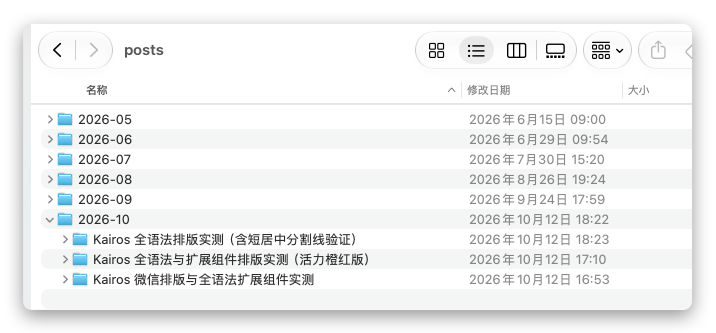
Above is my earlier record of publishing via local CLI; later, moving to the cloud made it incredibly smooth. ==Because previously I had to rely on Electron for local invocation, I couldn't publish articles away from my computer==, which was a pain. After moving to the cloud, I completely abandoned the client; everything works through the web, and I can write and publish from a phone browser!
Content Review
The pipeline deliberately includes a quality gate (content_review) to catch Agent-generated writing.
AI drafts inevitably suffer from occasional hallucinations, fabricated details, or repetitive filler. To prevent flawed content from flowing downstream, after import the draft's status defaults to untrusted (unchecked), at which point both cover generation and publishing interfaces are locked.
You can cross-check using a second model with a different architecture, or have a human review it locally. After confirming it passes, run the command to allow it:
zzp review --state ./posts/2026-10-16-my-article/workflow-state.json --status passed
[!TIP] Cross-review
After writing a draft with one model, you can use another model with a different architecture (such as Claude, DeepSeek, or Gemini) to run a blind review, specifically catching typos, factual errors, and redundant filler.
Cover Generation
WeChat public account covers are very troublesome: the article's first image requires a 2.35:1 ratio (e.g., 900x383), while in the subscription feed and chat cards, it gets center-cropped to a 1:1 square. Every time you need to find an image, measure dimensions, and center it to avoid the crop area consumes a lot of energy.
The pipeline integrates a standalone cover layout plugin called typeset-studio (npm: @akairos/typeset-studio).
It uses pure algorithmic layout and backend native Canvas rendering, calculating text wrapping and contrast in milliseconds and outputting PNG directly, ==without needing to launch headless Chrome==. The layout template simultaneously accommodates both the 2.35:1 and 1:1 view zones, with the title, subtitle, and author identifier automatically tucked into the square safe area, so no matter how it's cropped, the text is never swallowed.
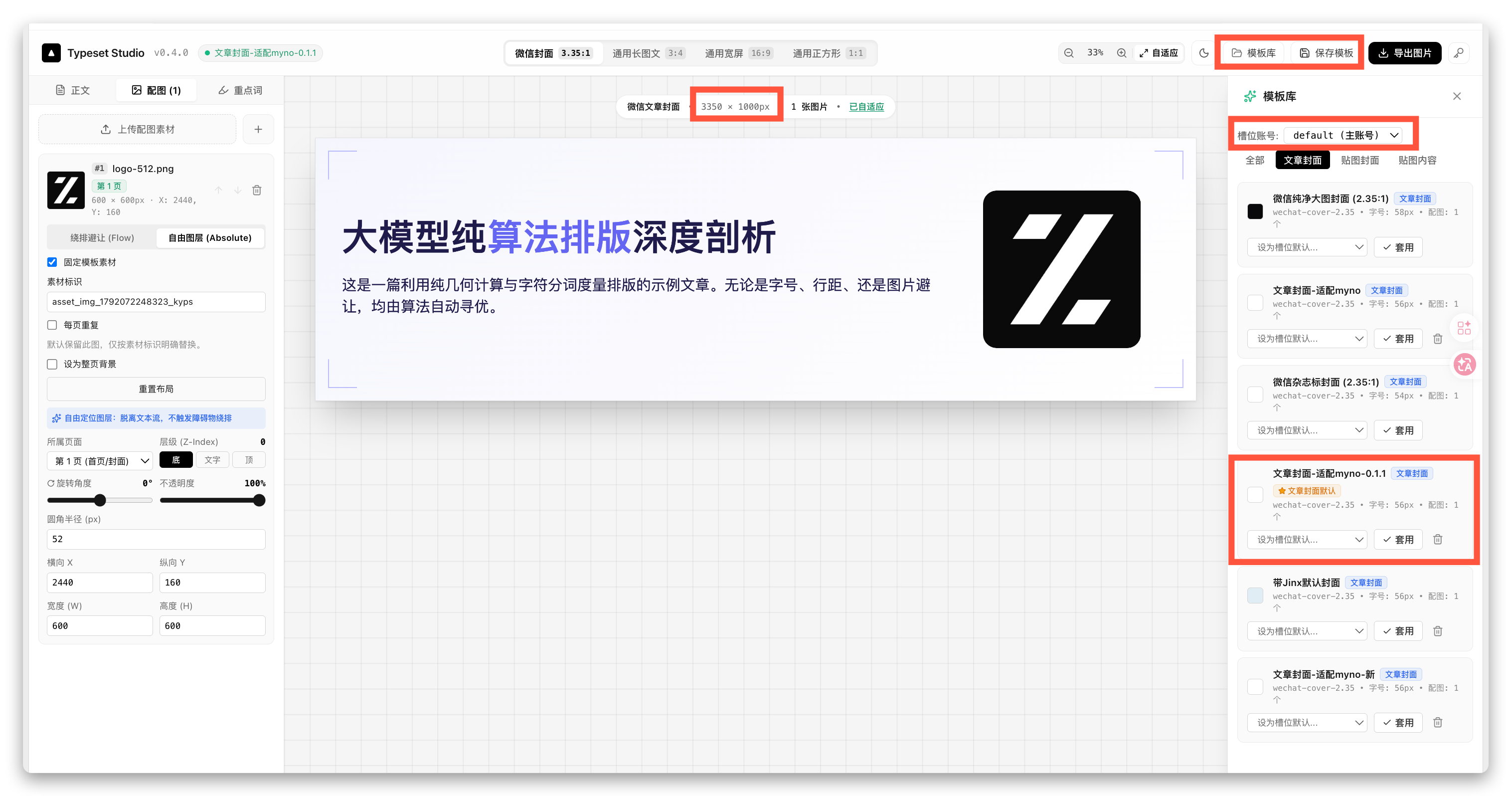
The template records the text layout style, image positions, and fixed asset positions, so feeding it new text and new images yields the same style with different content.
I've researched more than one or two cover solutions; I've also written several articles sharing approaches based on satori and satori-html, but the pain point was that templates were too flexible, and nobody wanted to write HTML and CSS. But back then I promoted it on V2EX and also got over 100 stars, which shows it's a real pain point.
Only this year, after discovering @chenglou/pretext, did I feel this was the most fluid solution; once rendered as mixed text and images, you no longer need to worry about specific styles.
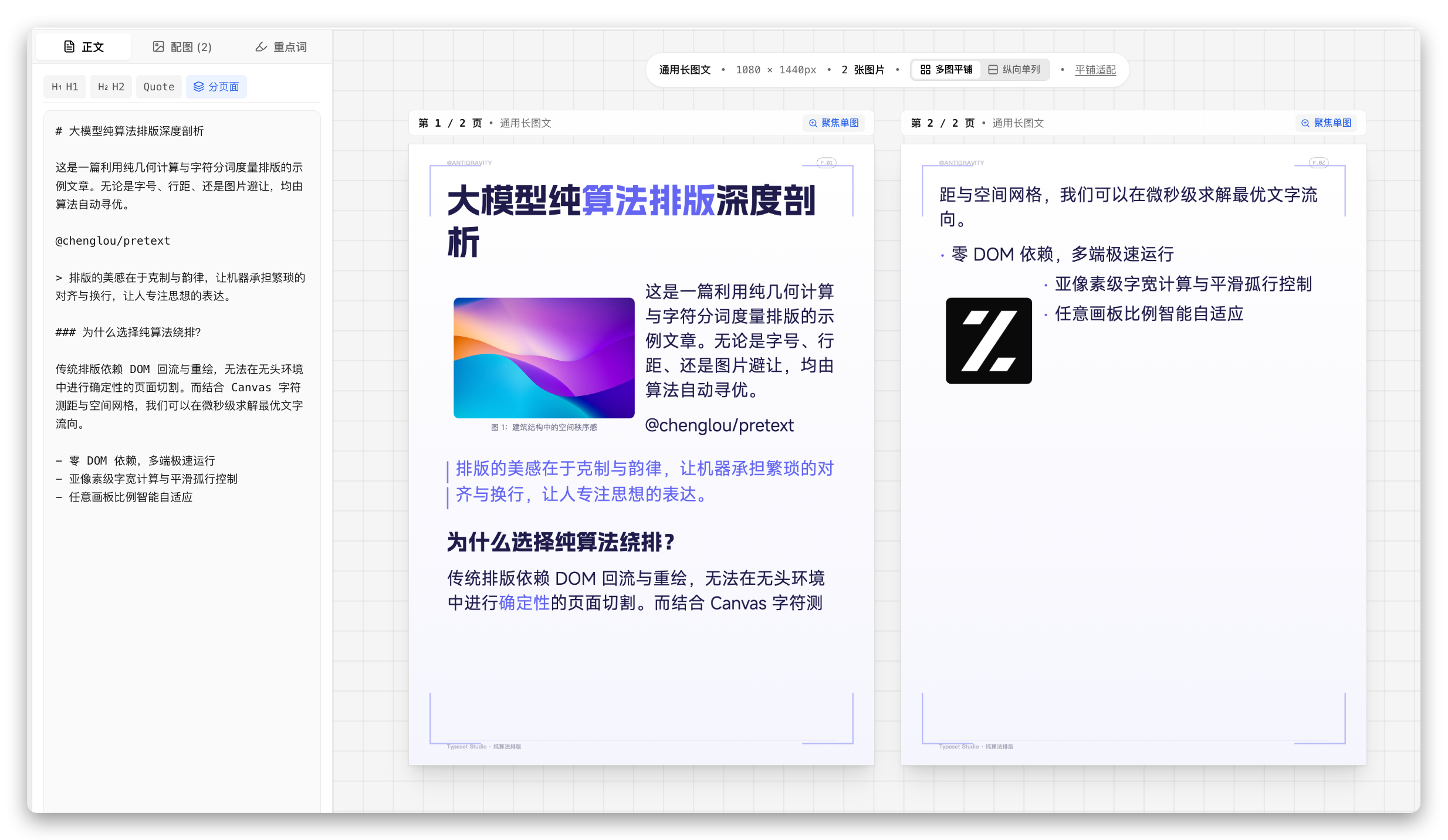
At this point, you only need to focus on the article itself, and then wrap it in the laid-out template; the aesthetics improve considerably.
Article Typesetting Styles
WeChat's built-in typesetting is crude, and third-party editors require frequent select-all and copy-paste; change two characters and you have to redo it.
As long as you decide on a comfortable font size, color scheme, and line spacing during daily writing, you rarely need to switch every time. This pipeline splits typesetting capability into two independent npm packages:
- Typesetting base and editor: myno (npm:
@akairos/myno), providing a modern Markdown typesetting engine. - WeChat rich-text extension: milkdown-article-plugins (npm:
@akairos/milkdown-article-plugins), adding WeChat-compatible styles such as Callout prompt blocks, intro cards (INTRO), end cards (CTA), and badges to Markdown.
Debugging styles locally is also easy; one command brings up a visual debug console in the browser:
zzp wechat-preview studio
After you tune a visual theme once, subsequent runs automatically export inline styles via the CLI, eliminating manual copying.
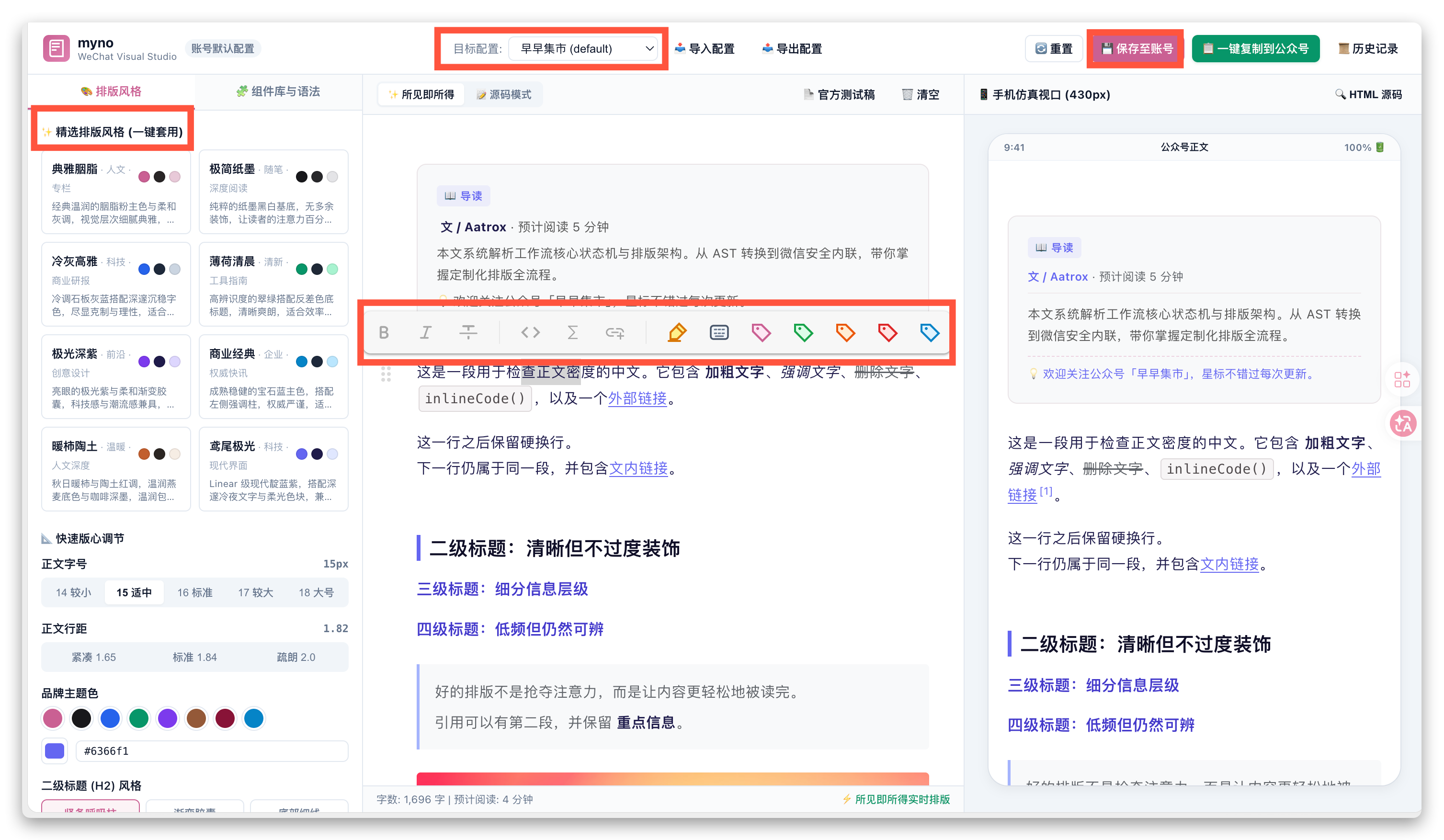
==The original intent of this workbench was to visually tune the style you like, then save it to configuration; afterward, you never touch it again.==
All of these front-end panels exist to conveniently produce a set of styles. If none of the presets satisfy you, you can also open advanced configuration in the bottom-left corner and insert custom CSS, which will override the existing styles.
If you have multiple accounts, just configure them in the pipeline, and you can switch freely here. This configuration attaches to the corresponding account.
Multi-Account Binding and Publishing
Are there security risks in automated public account publishing? Rest assured. The pipeline uses WeChat's official open platform standard interfaces (draft/add and material upload), with no web scraping or reverse engineering.
Because WeChat's official interface requires the calling server's IP to be added to the whitelist, and local computers usually don't have a fixed public IP,
I separately open-sourced a lightweight proxy service called bun-wx-server. Deploy it on any server with a fixed IP, and the local CLI sends requests carrying a token to complete the relay.
Just have an AI read this project, then implement and deploy it yourself with reference.
[!IMPORTANT] Security bottom line
==Only publish to the draft box; never mass-send autonomously==. The final push must be done by the author scanning a QR code on the phone and manually clicking broadcast, to avoid automated errors causing accidental content sends. When holding multiple accounts, add aliases in the configuration for one-click distribution.
Open Source Repository List
The open-source projects related to the entire toolset are listed below:
- [badge:brand|Core pipeline] zzhub-pipeline (npm:
@akairos/pipeline, commandzzp): Task state machine, responsible for process orchestration and state persistence. - [badge:success|Pure backend rendering] typeset-studio (npm:
@akairos/typeset-studio): Algorithmic cover renderer supporting dual view zones, Chrome-free ultra-fast image generation. - [badge:brand|Typesetting base] myno (npm:
@akairos/myno): Milkdown typesetting engine and visual typesetting debug console. - [badge:info|WeChat extension] milkdown-article-plugins (npm:
@akairos/milkdown-article-plugins): Adds Callout, intro cards, badges, and other typesetting plugins to Markdown. - [badge:warning|Requires public IP] bun-wx-server: Secure proxy for WeChat official interfaces, deployable on a fixed public IP server.
- [badge:info|Note extension] obsidian-wechat-publish: Community plugin for invoking the publishing pipeline with one click inside Obsidian notes.
[!CTA] Communication and Feedback
If this toolkit can save you the mechanical repetitive time of publishing public accounts, feel free to star the various repositories.
For any issues or customization needs, feel free to open an Issue or PR on GitHub to help improve it together.