A 628-Document Agent Guide Drops WorkBuddy, Coze, and Backend Engineering Into One Path
Hello everyone, I'm Master Tang.
If you've been learning about AI Agents recently, you've probably had this feeling.
You've gone through plenty of tutorials and saved a bunch of prompts, but when it comes time to actually build something yourself, you still don't know what to learn first.
WorkBuddy, Codex, Skill, workflows, knowledge bases, MCP — one new term after another.
Today you follow a video to make a case study, tomorrow you switch platforms and have to relearn everything. Your bookmarks folder gets fuller, but you haven't added many complete projects to your hands-on experience.
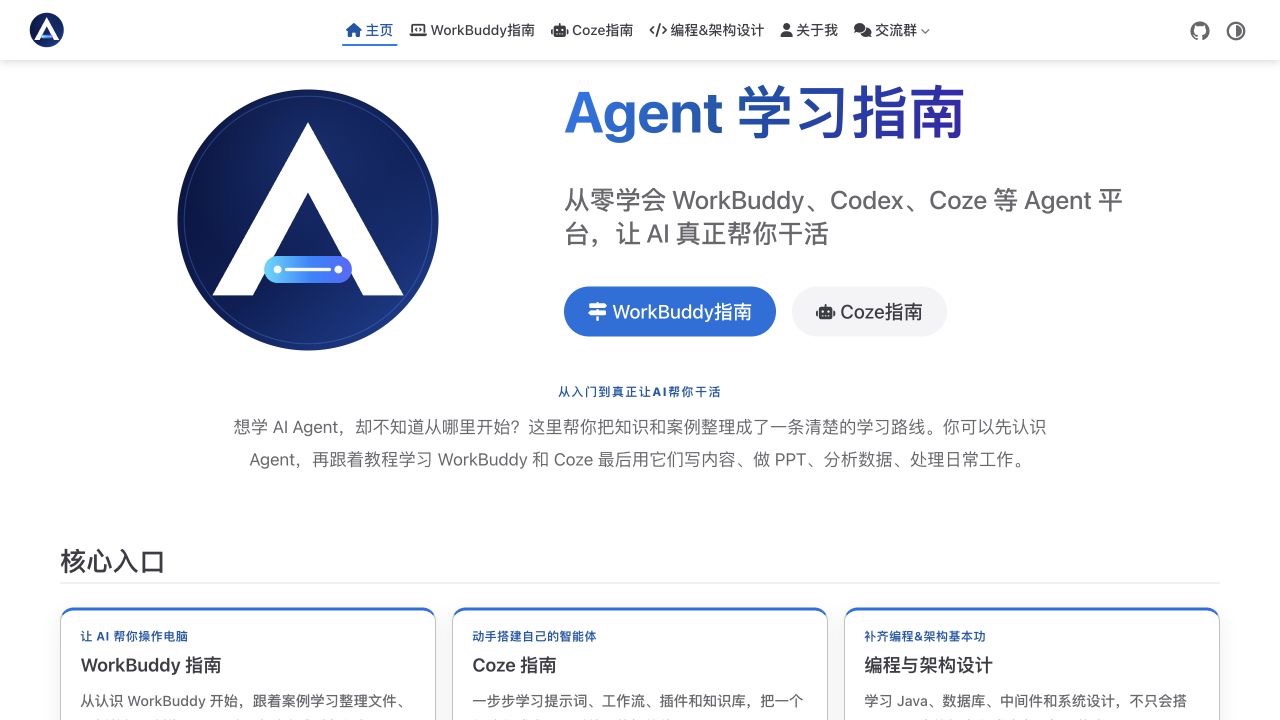
I've reorganized this whole thing into an open-source Agent learning guide.
This guide currently includes 23 pieces of WorkBuddy content, 37 pieces of Coze content, and 628 programming and architecture documents. It will continue to be updated with tutorials for Codex, Doubao Work, Qianwen Office, and other Agents.
You can start from first encountering Agents and go all the way through to office productivity实战, intelligent agent building, and enterprise application development.
No beating around the bush — here's the address first.
GitHub open-source repository:
github.com/tangshiyegit/agent-guide
Read online:
tangshiye.cn
I suggest bookmarking both. For daily learning, go directly to the website; to look at source code, make suggestions, or participate in maintenance, go to GitHub.
Why you should bookmark it
What's lacking right now is never Agent tutorials.
A random search online turns up installation guides, prompt templates, and tool reviews in abundance.
The trouble is that these resources usually each cover only one segment.
Someone teaches you how to ask Doubao, someone teaches you to write prompts, and someone else jumps straight into complex workflows.
Each piece on its own can teach you something, but put together they don't connect.
This Agent learning guide links three stretches of road together.
- The first stretch lets AI help you complete everyday tasks on your computer.
- The second stretch teaches you to build intelligent agents that can call knowledge bases, plugins, and workflows.
- The third stretch continues to supplement programming, databases, middleware, and system architecture, so that the engineered Agent you build can be connected into business systems.
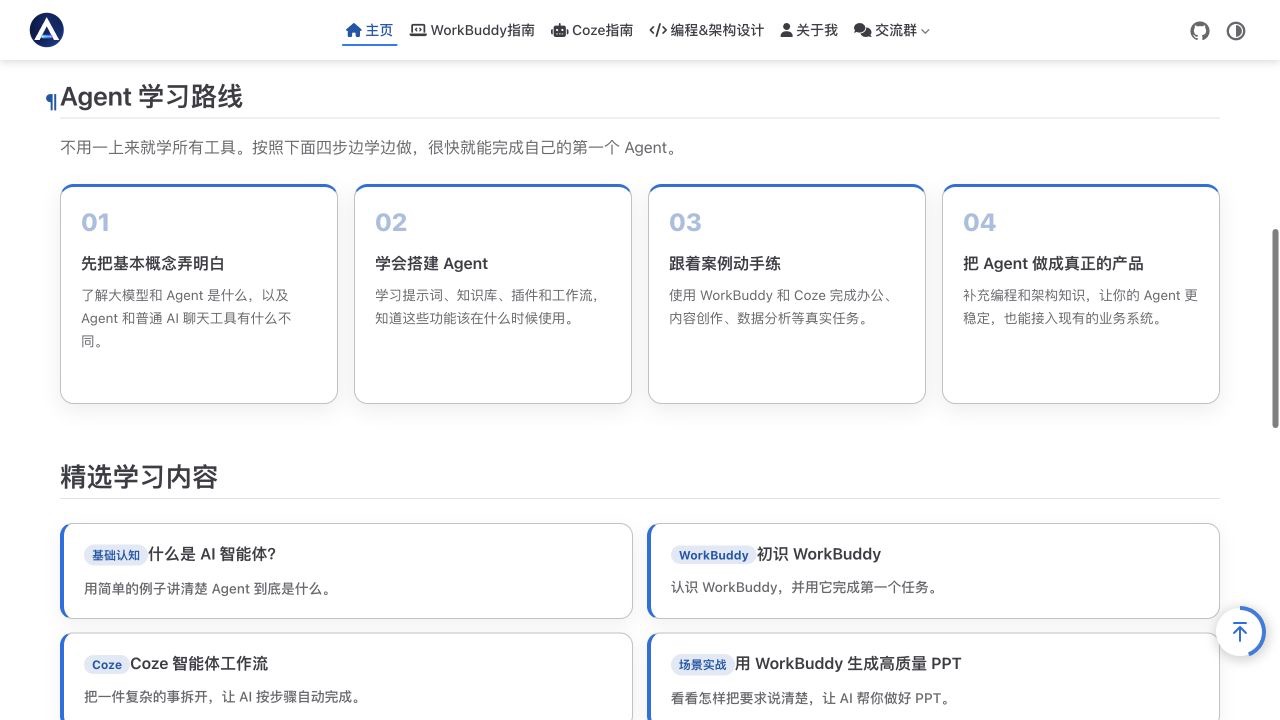
You don't need to first figure out whether you want to switch careers into AI, nor do you need to chew through all the concepts right from the start. First pick a task you can use right now, finish it, and then continue further.
This path is friendly to beginners and also useful for developers already working on projects.
Part One: Learn WorkBuddy first, let AI take over specific tasks
The most common use of ordinary chat tools is for a person to copy material in, the AI to give a response, and the remaining operations still have to be done by the person.
WorkBuddy can enter a user-authorized workspace, read local files, understand task requirements, call tools to process materials, and then write the results back to a specified directory. Once connectors are attached, it can also access external services like Tencent Meeting and email.
The WorkBuddy guide in the project doesn't stop at feature introductions. The 23 pieces of content currently organized start from workspaces, security boundaries, experts, expert groups, and Skills, and quickly move into real work tasks.
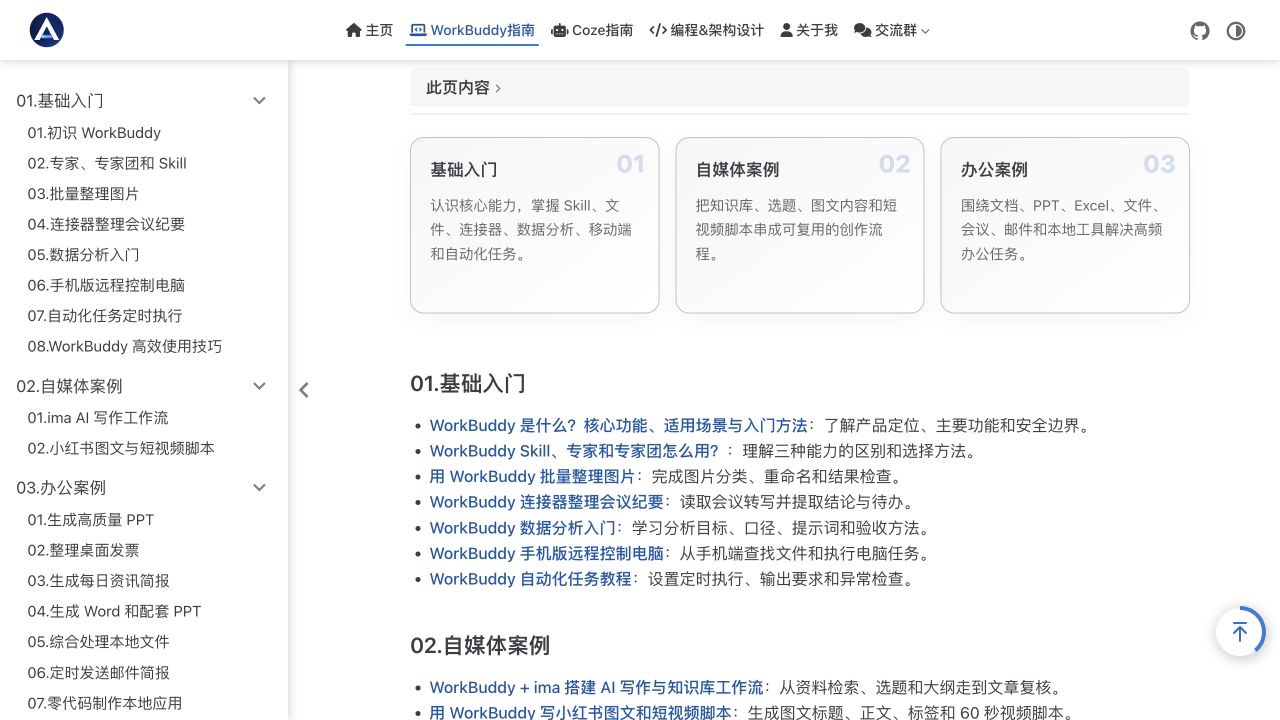
You can follow the tutorials to organize images, archive invoices, generate meeting minutes, analyze sales details, create PPTs, compile news briefs, or continue learning to send scheduled emails, control your phone remotely, and automate tasks.
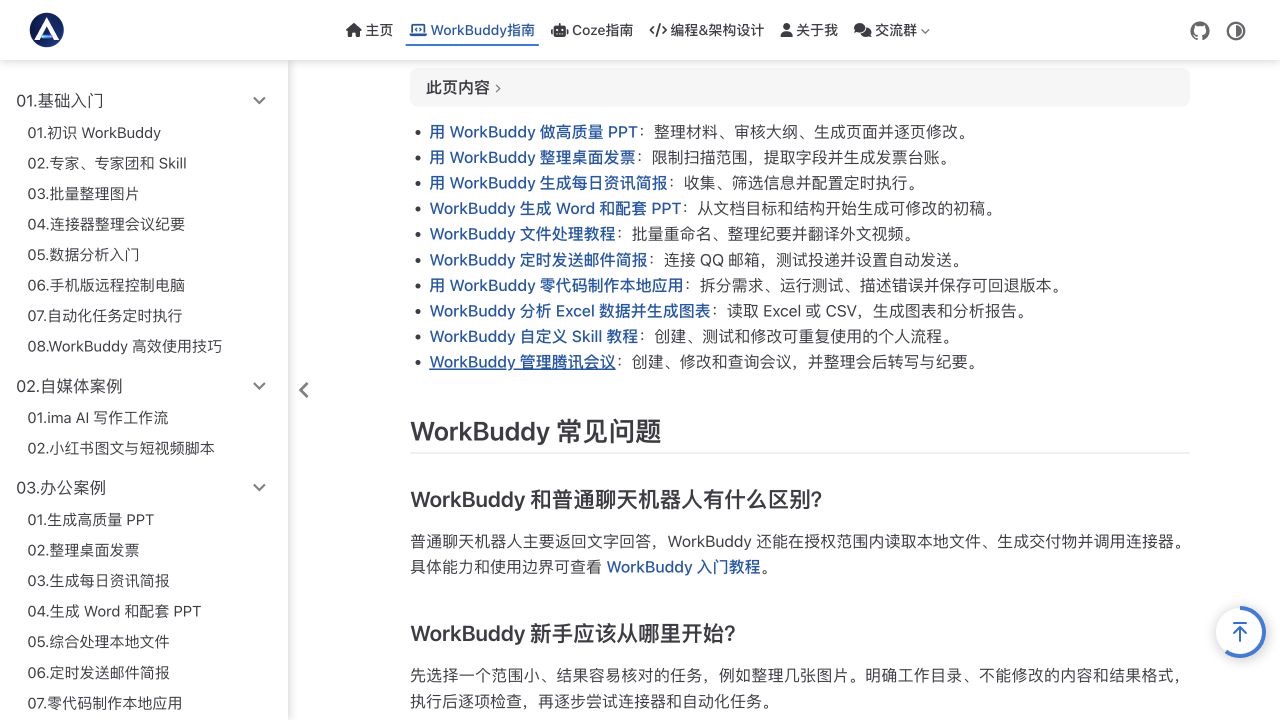
For self-media creators, the project has also separately organized a content production path.
From knowledge base retrieval, topic selection, outlines, and article review, to Xiaohongshu graphics, titles, tags, and 60-second short video scripts, the entire workflow has corresponding case studies.
This part is best suited for learning by doing. First practice with one of your own folders or a spreadsheet; once the task runs through successfully, then organize the steps into a Skill.
The next time you encounter similar work, you can directly reuse it.
Part Two: Learn Coze, build your own Agent application
After learning how to make AI answer questions, many people will continue to ask further.
How to give it a fixed persona and rules, how to connect your own materials, how to call external tools, how to make a complex task execute automatically step by step.
This is exactly what the Coze section aims to solve.
Currently, the project has 37 pieces of Coze content. The earlier AIGC, large model, and Agent basics are responsible for clarifying the concepts.
The later prompts, plugins, knowledge bases, memory, cards, workflows, and publishing channels are responsible for guiding you to actually build the intelligent agent.
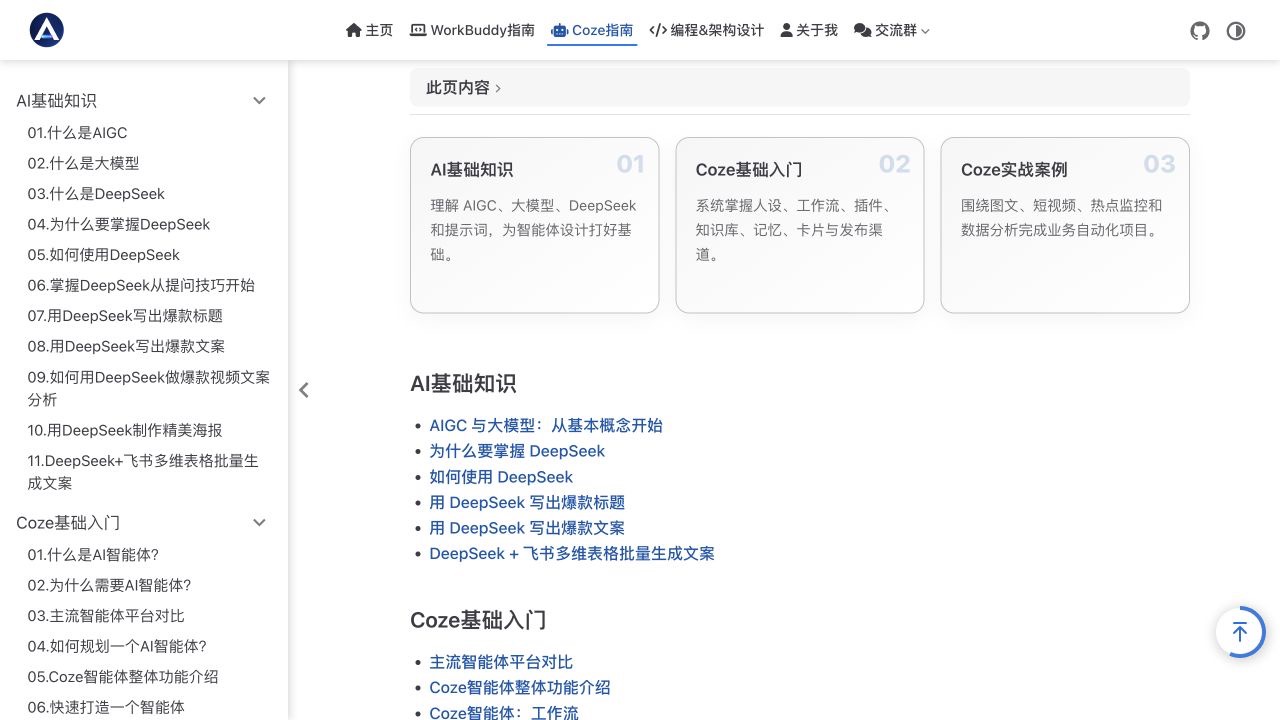
After learning the features, there are also case studies for content rewriting, data analysis, hotspot monitoring, and video production.
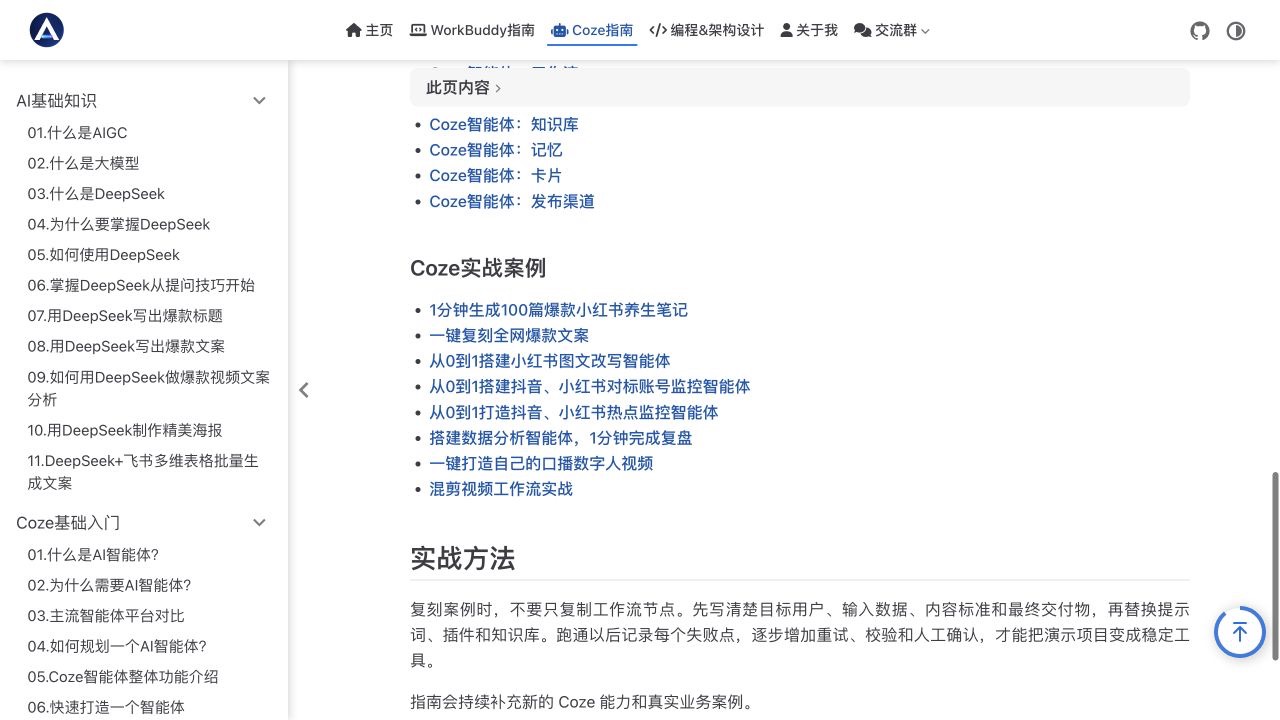
The value of these case studies is that you can see how a task is broken down. What information the user provides, what the knowledge base is responsible for, when the plugin is called, how the workflow arranges the sequence, and finally how the result is checked.
When you later switch to another Agent platform, the interface may change, but this set of judgments can still be used.
Part Three: Supplement engineering capability, connect Agents into business systems
Many Agent tutorials end once the demo is successful.
But once you enter a corporate environment, problems quickly multiply. Where is the data stored, how are APIs called, how is caching designed, how are messages reliably delivered, can the system hold up when user volume increases, and where do you start troubleshooting when something goes wrong.
This is also the reason I kept a complete programming and architecture专题 in the project.
This part currently has 628 Markdown documents, covering programming, design patterns, MySQL, Redis, Elasticsearch, common frameworks, middleware, business architecture, application architecture, system case studies, and development standards.
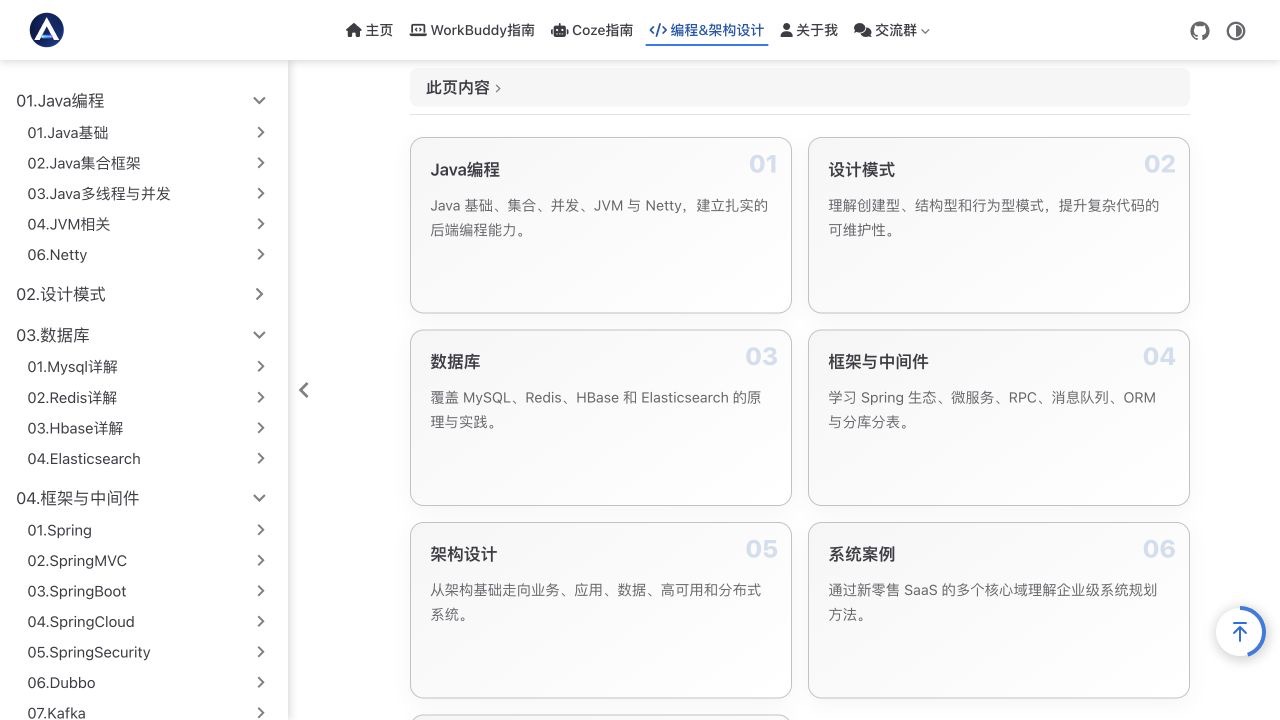
Developers don't need to read from the first document to the last in order. If you're preparing to build a knowledge base, you can first look at databases and search.
If you're preparing to connect to existing systems, you can go look at frameworks, APIs, and application architecture. Whatever problem the project encounters, go back to the corresponding chapter and supplement what's needed.
Only when an Agent reaches this step does it have a chance to move from a personal demo into a stably running business application.
Different people, different learning sequences
If you're encountering Agents for the first time, you can first look at AI basics, then choose one from WorkBuddy's image organization, meeting minutes, or PPT case studies.
Completing one task first is more useful than reading ten concepts in a row.
- If you're an office worker, operations person, or content creator, you can directly enter WorkBuddy's office and self-media case studies. Find the work you repeat every week, run through it following the case study, then modify the task requirements based on your own materials.
- If you want to build intelligent agents, you can first learn Coze's prompts, knowledge bases, plugins, and workflows, then fully reproduce a case study.
- If you're a developer or architect, you can use Coze as an Agent introduction, then enter the Java, database, middleware, and architecture topics according to project needs.
This guide doesn't require everyone to walk the same path. Wherever you're stuck right now, start from there.
Who maintains this project
Master Tang, long-term focus on the AI Agent direction, currently working on AI architecture at a large company.
Over the past 14 years, I've participated in building large-scale internet systems at companies like Huawei and Alibaba, and have also been invited as a speaker at conferences like QCon, IAS, and A2M. I've published the best-selling books "Building Self-Media AI Agents from Zero" and "SaaS+AI Architecture in Practice."
I'm familiar with how enterprise systems are designed, and I've also been continuously researching how ordinary people can use Agents in their daily work.
This project puts both parts together.
The front part solves whether you can use it, and the back part handles how to make it into a stable application.
Why open-source it
Agent tools update very quickly; interfaces, models, and features all change.
A fixed, unchanging tutorial will soon have outdated screenshots and steps.
By putting the project on GitHub, the content can be continuously maintained.
Readers who find problems can submit Issues. Those with mature case studies can also contribute via Pull Requests.
The project uses the MIT open-source license. After retaining the original copyright notice and license statement, you can use, copy, modify, and distribute the project content and source code.
The online website already has top navigation, hierarchical sidebar, article table of contents, dark mode, and mobile adaptation.
Ordinary readers can open the webpage and read directly; there's no need to install a development environment first.
Friends who want to study the website source code or participate in maintenance can clone the project from GitHub.
The local site is built on VuePress 2, Vue 3, Vite, and TypeScript, and also provides development, build, and packaging commands.
This material is better suited for use
Whether you've learned Agents well ultimately depends on what it has helped you accomplish.
Organize a folder, finish a meeting minutes document, run through a data analysis, build a knowledge base intelligent agent, and then connect it to your own business.
These results will step by step lead you to understand prompts, context, tool calling, workflows, and system design.
So, don't rush to read through all 600+ pieces of content at once.
First open the website, choose a case study you can start working on today. When you encounter concepts you don't understand, go back and supplement; once the task runs through successfully, continue to the next one.
If this guide is helpful to you, welcome to go to GitHub and give it a Star.
If you find places where the writing isn't clear, you're also welcome to submit an Issue.
Here's the project address one more time.
github.com/tangshiyegit/agent-guide
Starting from a concrete task is much more useful than continuing to stuff links into your bookmarks folder.
Finally, don't forget to star it~