A Wallpaper Skin Plugin for DeepSeek Harness, Built from Scratch
1. What is the project
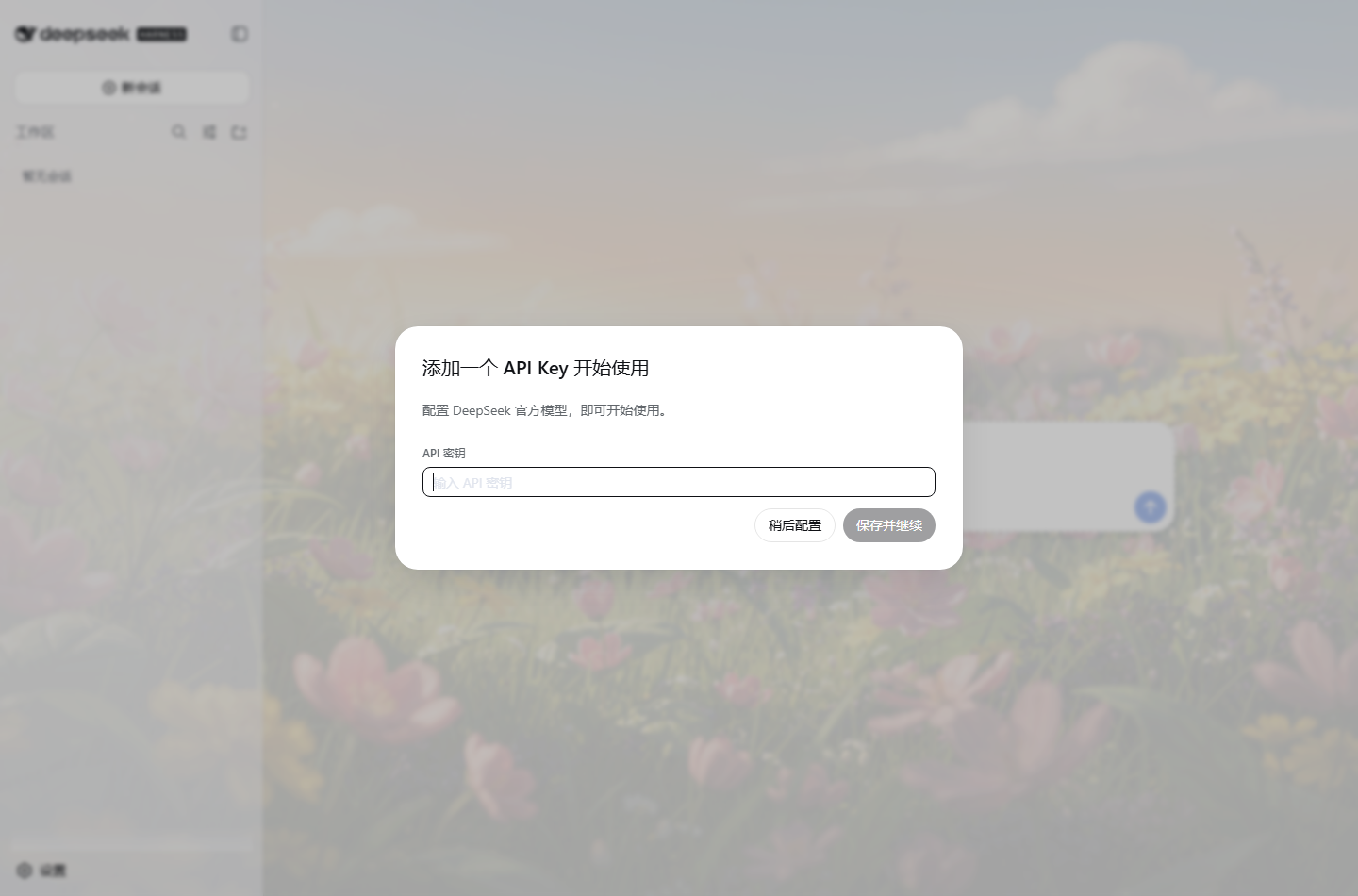
DeepSeek Harness is a coding Agent runtime platform launched by DeepSeek (dsh web starts a Web GUI, defaulting to http://127.0.0.1:3080). It supports three themes — light, dark, and follow system — but has no ability for custom backgrounds.
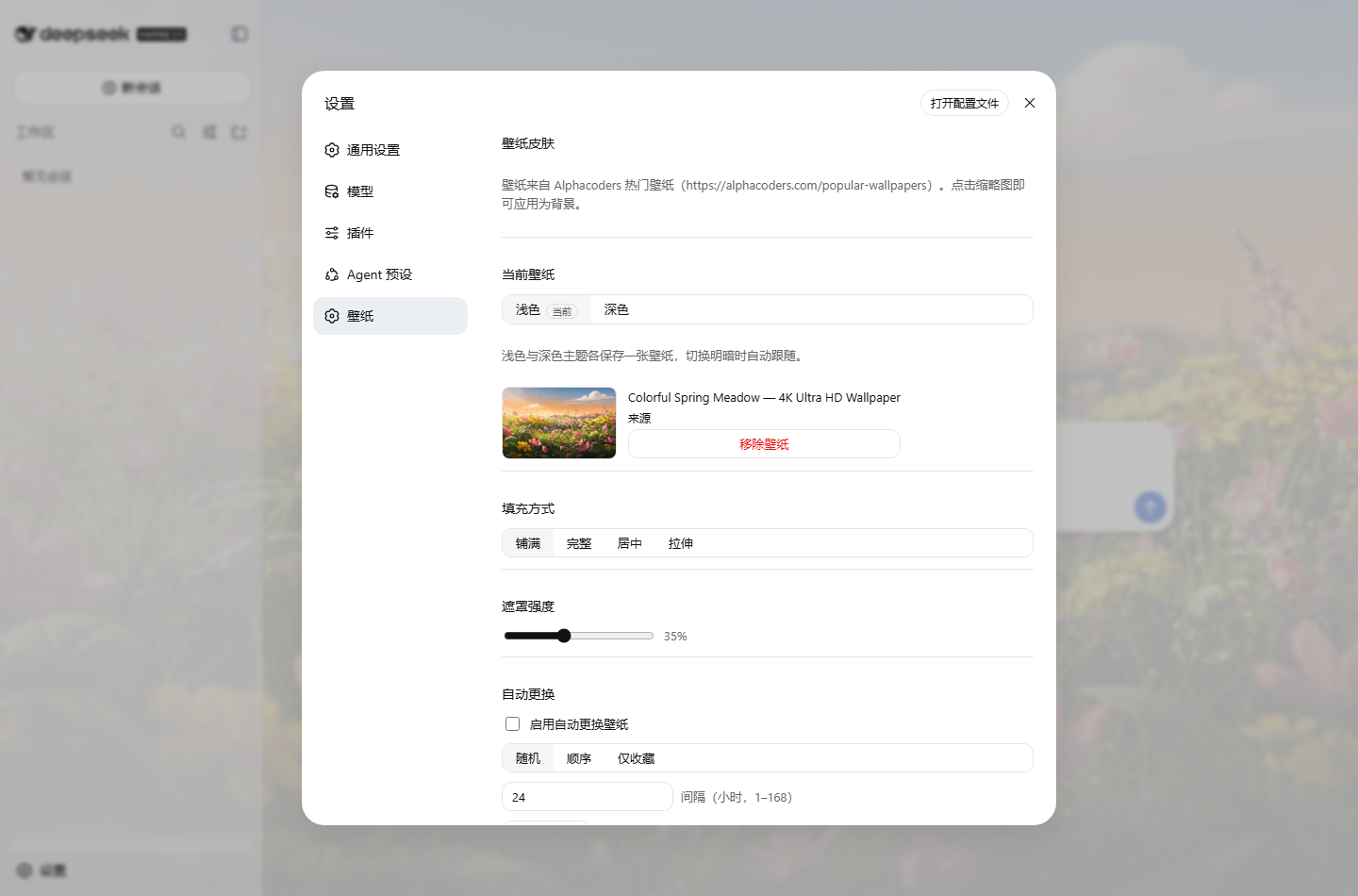
dsh-skin-alphacoders is a skin plugin: it turns Alphacoders popular wallpapers into the Web GUI's background, with features including:
- 🖼️ Wallpaper library: browse popular wallpapers (15 per page, pagination, lazy loading)
- 🔍 Search: keyword search (via the official Alphacoders search page)
- 📤 Local images: upload your own PNG/JPEG/WebP/GIF as wallpaper, persistent across restarts
- 🎨 Display controls: four fill modes + 0–90% overlay intensity
- 🌗 Light/dark linkage: light white mist / dark black mist overlay switches automatically
- 💾 Preference persistence: written to
settings.yaml, restored automatically on restart
2. DSH plugin mechanism: how a plugin runs
This section is the meat — once you understand it, you can write any plugin for DSH.
1. Profiles and the composition layer
DSH organizes runtime configuration with profiles, located at $DSH_HOME/profiles/<name>. web is a built-in profile whose configuration tree is composed of several layers stacked in order:
- Composition bundle patches declared in
dsh.profile.bundles(@deepseek-ai/dsh-base,@deepseek-ai/dsh-web-app) - The profile's own
cordis.patch.yml - The home-level
$DSH_HOME/cordis.patch.yml
Each patch is a bunch of plugin lines: id + name (package name) + config. The official way to add a third-party plugin to web is:
dsh plugin --profile web add <package-name>
Then register a line in cordis.patch.yml:
- insert:
    - id: skin-alphacoders
      name: 'dsh-skin-alphacoders'
2. Dual-half plugin package (Host + Client)
DSH plugins run on the Cordis runtime. In a web scenario, a package has two entry points:
- node half (
exports["."]): runs in the Host process, with access to files, network, settings service, and HTTP server; - browser half (
exports["./client"]): runs in the page, responsible for UI and DOM.
package.json declares the browser half with dsh.client:
"dsh": {
  "client": {
    "platform": "web",
    "immediately": false,
    "inject": [
      "@deepseek-ai/dsh-client-runtime",
      "@deepseek-ai/dsh-client-locale",
      "@deepseek-ai/dsh-client-ui-slots"
    ]
  }
}
3. Client module system: __DSH_BOOT__
When the web shell starts, the host side scans the browser plugin registry and injects the configuration map into the page's window.__DSH_BOOT__. The browser half's output is not ordinary ESM — it must be a single file + CJS factory:
window.__ModuleLoader__.load({
  id: "dsh-skin-alphacoders",
  factory: (require) => {
    var module = { exports: {} }
    var exports = module.exports
    // ……your CJS code……
    return module.exports
  }
})
The require inside the factory is provided by the module system (react, react/jsx-runtime are in the seed table), so external dependencies can only reference packages in the module table; all other dependencies must be bundled in. That's why tsdown is used to separately build the client as CJS, with an additional wrap-client.mjs script to do the wrapping.
4. Theme system: Token + ThemeRuntime
DSH's color scheme is a two-layer CSS variable system: --dsw-static-* (static palette) + --dsw-alias-* (semantic aliases, e.g. --dsw-alias-bg-base). The client has a ctx.theme (ThemeRuntime) service:
register(theme): register a third-party themeoverrideTokens(source, tokens): overlay a layer of token overrides on the active theme (each token must provide light/dark values)theme/changeevent: fires on theme switch or system color scheme change
The wallpaper skin's "surface reveals wallpaper" effect is achieved by using overrideTokens to change background tokens to rgba(..., 0.55) — using the official mechanism, not directly modifying the DOM.
5. Settings whitelist, and the workaround
DSH's settings have a wire whitelist: the browser, via api-proxy, can only read/write built-in namespaces like locale and ui-theme. Namespaces registered by plugins outside the repo always return settings-not-exposed (this was the first big pitfall).
The solution: the Host half still uses ctx.settings.register('ui-skin', schema) to register and hold the owner scope (in-process reads/writes are not restricted by the whitelist), while the browser side goes through the plugin's own HTTP route for reads and writes — the data ultimately lands in the ui-skin section of settings.yaml. This is the official extension point DSH reserves for third-party plugins: ctx.webServer.register({ kind: 'prefix', path: '/skin-alphacoders', handler }).
3. Development process review
1. Requirements first
A requirements document was written first: features (wallpaper library / apply / persistence / light-dark linkage), non-functional requirements (performance / readability / compliance), technical approach, acceptance criteria. Each subsequent iteration backfilled the implementation status.
2. Research: reading docs + testing the data source
DSH ships with documentation; each plugin package has a README (dsh-client-ui-theme, dsh-settings, dsh-host-webserver…), plus the cordis-plugin-development SKILL. Alphacoders was tested empirically: the popular page turned out to be server-rendered schema.org ImageObject (15 items per page, ?page=N pagination), image CDN has no auth and is directly accessible, and a thumb-1920-<id> medium-size variant was discovered — avoiding downloading 5K/8K originals for backgrounds.
3. Architecture: responsibilities split by platform
Host half: fetch + parse alphacoders (including search) + TTL cache
           + settings registration + local image storage + HTTP route
Client half: skin store + wallpaper background layer + settings page UI (React)
The browser only ever talks to same-origin /skin-alphacoders/*, with no CORS surface.
4. Build chain
- Host half: tsdown outputs a single ESM file;
- Client half: tsdown outputs a single CJS file, then
wrap-client.mjswraps it into a__ModuleLoader__factory; - Dependencies not in the browser module table (like
schemastery) are bundled in viadeps.alwaysBundle.
5. Isolated testing + E2E
A separate DSH_HOME + port 3090 was used to start a test instance (leaving the real 3080 untouched). The HTTP layer was verified with scripts, and the UI layer used puppeteer-core driving the system Chrome to run 23 assertions: gallery rendering, wallpaper application, light-dark linkage, persistence, search, local upload, file cleanup, uninstall recovery…
6. Pitfalls log
| Pitfall | Solution |
|---|---|
Settings whitelist settings-not-exposed |
Host holds owner scope + plugin's own route for reads/writes |
overrideTokens synchronously publishes theme/change, causing a re-entry storm (measured 500+ layers of recursion) |
Token override layer deduplicates by signature; no rebuild when input is unchanged |
pnpm file: dependencies are hardlink copies, source changes don't take effect |
Use directory junctions during development to link directly to source |
| Full-surface translucency makes text unreadable (user feedback) | Iterated to final solution: main surfaces reveal wallpaper, but --dsw-alias-bg-layer-2 on the settings panel is not overridden, keeping the panel opaque and text clear |
4. Installation and usage
# 1. Build
npm install && npm run build

# 2. Install into web profile
dsh plugin --profile web add "file:<absolute-path-to-this-package>"

# 3. Register the plugin line in $DSH_HOME/profiles/web/cordis.patch.yml
# - insert:
#     - id: skin-alphacoders
#       name: 'dsh-skin-alphacoders'
Restart dsh web, then open "Settings → Wallpaper" to use.
5. Welcome to try and contribute
- 📦 GitHub repo: https://github.com/sakka6868/dsh-skin
- 🏷️ Topic page: https://github.com/topics/dsh-plugin
- 🧪 Built-in 23 E2E verifications (
e2e/verify.mjs), bilingual README (Chinese/English)
If you're also tinkering with DeepSeek Harness, Star, open an Issue, or send a PR is welcome; future plans: official API channel, automatic wallpaper rotation, matching theme colors.
Wallpaper copyright belongs to the original authors and Alphacoders. This plugin is for personal use only.